
Key facts
Start here
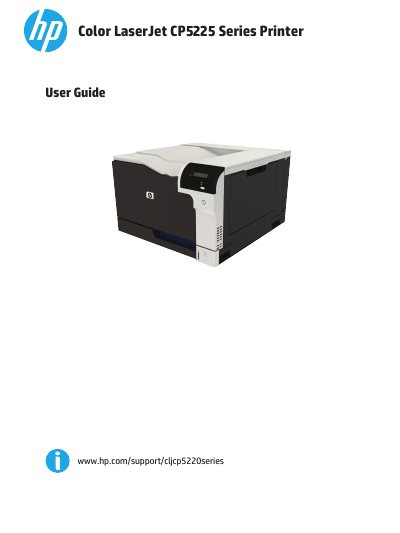
HP Color LaserJet CP5225 Series Printer User Guide
This document serves as the official user guide for the HP Color LaserJet CP5225 Series printer. It covers product basics, control panel usage, and software installation for both Windows and Macintosh operating systems. The guide details how to configure network connectivity, manage paper and print media, and utilize color management features.
Read onlineHP CP5225 specifications
| Print speed (Black A4) | Up to 20 ppm |
|---|---|
| Print speed (Color A4) | Up to 20 ppm |
| Print resolution | Up to 600 x 600 dpi |
| Monthly duty cycle | Up to 75,000 pages |
| Memory | 192 MB (expandable to 448 MB) |
| Processor speed | 540 MHz |
| Connectivity | Hi-Speed USB 2.0, built-in Fast Ethernet 10/100Base-TX |
| Media weight (Tray 1) | 60 to 220 g/m² |
| Input capacity (Standard) | Up to 850 sheets |
| Output capacity | Up to 250 sheets |
Source: HP Color LaserJet Professional CP5225 Printer Series Data Sheet
All HP CP5225 documents by type
Ratings, dimensions and ordering codes, for selection and design work.
Day-to-day operation, settings and troubleshooting. Start here if the product is already set up.
Questions answered in these manuals
What is the print speed of the HP Color LaserJet Professional CP5225?
It achieves speeds of up to 20 ppm for both black and color A4 printing.
From: HP Color LaserJet Professional CP5225 Printer Series Data Sheet
What paper sizes does the printer support?
It supports sizes from 3 by 5 inches up to 12 by 18 inches.
From: HP Color LaserJet Professional CP5225 Printer Series Data Sheet
What operating systems are supported for Windows?
The guide lists supported operating systems for Windows in the software section.
How do I clear a paper jam?
The guide provides specific instructions for clearing jams in various locations such as the right door, output bin, and trays.