
Key facts
- Brand
- HP
- Model
- 9.01
- Category
- Other
- Industry
- Electronics
- Documents
- 8
- Languages
- EN · SV · NL · ZH
- Last added
- 2026-11-22
Start here
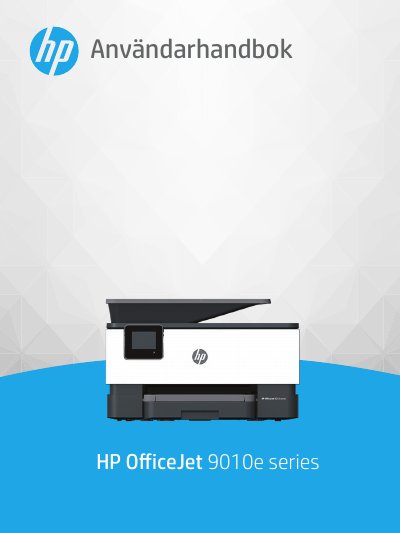
HP OfficeJet 9010e Series User Manual
This manual is the Swedish-language user guide for the HP OfficeJet 9010e series all-in-one printer. It covers printer parts, control panel functions, loading paper and originals, connections, management tools, web services, printing, copying, scanning, faxing, ink cartridge handling, troubleshooting, eco solutions, and technical information.
The manual also includes safety information, such as unplugging the product before cleaning it and noting that there are no user-serviceable parts inside the device. This manual is written in Swedish.
HP 9.01 specifications
| Operating temperature | 5° to 40° C (41° to 104° F) |
|---|---|
| Operating humidity | 15 to 80% RH non‑condensing |
| Print method | Drop‑on‑demand thermal inkjet |
| Scan resolution | Up to 1200 × 1200 ppi optical |
| Fax transmission speed | 33.6 Kbps |
All HP 9.01 documents by type
Day-to-day operation, settings and troubleshooting. Start here if the product is already set up.
- HP OfficeJet 9010e Series User Manual 225 p
- HP Designjet 30/90/130 Series Printer Printing Knowledge Center Guide 8 p
- HP OfficeJet Pro 9010 series User Manual 223 p
- HP LaserJet 8150 Series Getting Started Guide C4265-90901 36 p
- HP OfficeJet Pro 9010 series Printer User Guide 216 p
- HP HP 8901A Modulation Analyzer 150 kHz to 1300 MHz Product Overview Manual 8 p
- HP EP9010 Series Instant Cinema Digital Projector User Guide 78 p
Questions answered in these manuals
What is the software version of the BlackBerry Content Pack?
Software Version 9.01.
From: HP Operations Content Pack for BlackBerry Enterprise Server Software 9.01
What is the document release date for this version?
September 2010.
From: HP Operations Content Pack for BlackBerry Enterprise Server Software 9.01
Are there any user-serviceable parts inside the printer?
No. The manual states there are no user-serviceable parts inside the device and service work should be left to qualified personnel.
Should the printer be unplugged before cleaning?
Yes, unplug the product from the wall outlet before cleaning it.
What print resolution is set in the EFI Designer Edition RIP preferences?
The print resolution is set to 600 x 600.
From: HP Designjet 30/90/130 Series Printer Printing Knowledge Center Guide
Which color output mode is selected in the RIP preferences?
The color output mode is set to Photo print.
From: HP Designjet 30/90/130 Series Printer Printing Knowledge Center Guide