
Key facts
Start here
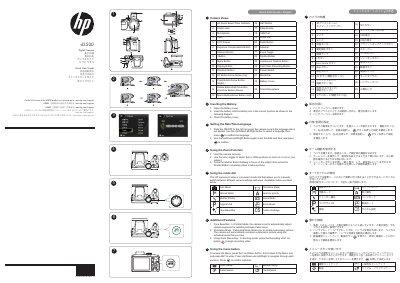
HP d3500 Digital Camera Quick Start Guide
This document serves as a Quick Start Guide for the HP d3500 digital camera. It provides step-by-step instructions for initial setup, including powering on the device, setting the language and date/time, and inserting the battery. The guide also explains how to use the zoom function and operate the mode dial to switch between various shooting modes such as Auto, Manual, and Movie Mode.
Read onlineHP 3500 specifications
| Optical Zoom | 36x |
|---|---|
| Image Stabilization | OIS optical image stabilization |
| Max Static Resolution | 4320 x 3240 pixels |
All HP 3500 documents by type
Day-to-day operation, settings and troubleshooting. Start here if the product is already set up.
- HP CT d3500 Digital Camera User Manual 93 p
- HP SC d3500 Digital Camera User Manual 93 p
- HP Officejet J3500/J3600 All-in-One Series User Guide 180 p
- HP Toolbox for HP 3500 Series Printers User Guide 4 p
- HP Officejet J3500/J3600 All-in-One User Manual 184 p
- HP Color LaserJet 3500 and 3700 Series Printer User Guide 234 p
- HP Scanjet 2300c or 3500c Series Scanner User Manual 22 p
- HP Scanjet 2300c/3500c Series User Manual 22 p
Disassembly, diagnostics and part numbers, for repair.
The shortest path to a working setup, usually only a few pages.
Questions answered in these manuals
What is the part number for the top cover?
The top cover part number is 41X2416.
From: HP 3500 Parts Catalog
How many rubber feet does the printer have?
The printer has 4 rubber feet.
From: HP 3500 Parts Catalog
What is included in the package?
The package includes the camera, USB connection cable, shoulder strap, rechargeable lithium-ion battery, power charger, lens cap, and Quick Start Guide.
What should I do if the camera cannot turn on?
Replace the battery or install the battery correctly.
What tools are required to disassemble the switch?
Tools required include a Torx driver (T10 and T15), a small adjustable wrench (5mm), and a wire cutter.
From: HP ProCurve 3500yl-48G Switch (J8693A) End-of-Life Disassembly Instructions
How many PCBs or PCAs with a surface greater than 10 sq cm are in the switch?
There are 5 PCBs or PCAs with a surface greater than 10 sq cm in the product.
From: HP ProCurve 3500yl-48G Switch (J8693A) End-of-Life Disassembly Instructions