
Key facts
- Brand
- HP
- Model
- 720
- Category
- All-in-one printer
- Industry
- Computers
- Documents
- 14
- Languages
- EN · ZH · ZH-TW
- Last added
- 2026-11-18
Start here
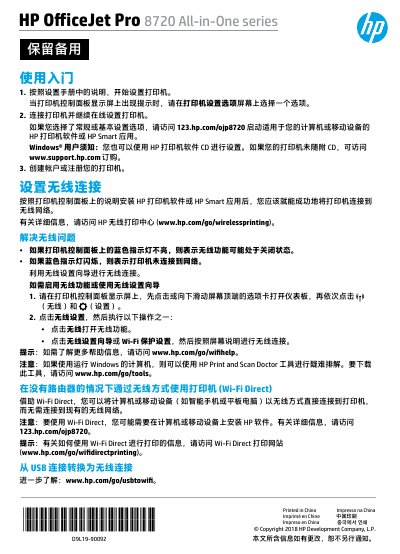
HP OfficeJet Pro 8720 All-in-One Series Getting Started Guide
This guide explains how to set up the HP OfficeJet Pro 8720 All-in-One series printer, connect it to a wireless network, and install HP printer software or the HP Smart app. It also covers Wi-Fi Direct printing without a router, converting a USB connection to wireless, and setting up fax from the control panel or software.
The document points to HP support pages for the user manual, technical information, ink usage, mobile printing, printer registration, and compliance statements, and includes HP's limited warranty terms. This manual is written in Chinese.
HP 720 specifications
| Functions | Print, scan, copy, wireless |
|---|---|
| Print speed (black, ISO) | Up to 15 ppm |
| Print speed (color, ISO) | Up to 9 ppm |
| Print resolution (black, best) | Up to 1200 x 1200 rendered dpi |
| Print resolution (color, best) | Up to 4800 x 1200 optimized dpi |
| Scan resolution (hardware) | Up to 1200 x 1200 dpi |
| Scan resolution (optical) | Up to 1200 dpi |
| Copy resolution (black) | Up to 600 dpi |
| Copy resolution (color) | Up to 600 x 600 dpi |
| Standard connectivity | Hi-Speed USB 2.0; Wi-Fi; Bluetooth LE |
| Memory | 128 MB |
| Processor speed | 800 MHz |
| Monthly duty cycle (A4) | Up to 5,000 pages |
| Recommended monthly page volume | 400 to 800 |
| Input tray capacity | Up to 250 sheets |
| Output tray capacity | Up to 100 sheets |
| Product dimensions (W x D x H) | 42.75 x 36.40 x 19.86 cm |
| Product weight | 6.38 kg |
| Operating temperature range | 5 to 40°C |
| Storage temperature range | -40 to 60°C |
| Operating humidity range | 15 to 80% RH (non-condensing) |
| Display | 2-Line LCD with Smart guided Buttons 50.8 x 10.16 mm (2.0 x 0.4 in) |
| Ink included | Up to 12,000 black or 8,000 color pages |
All HP 720 documents by type
Ratings, dimensions and ordering codes, for selection and design work.
The shortest path to a working setup, usually only a few pages.
Day-to-day operation, settings and troubleshooting. Start here if the product is already set up.
- HP Photosmart 7200 Series Basics Guide 64 p
- HP ENVY Inspire 7200e/7900e series User Guide 97 p
- HP Smart Tank 660-670 710-720 750 Series User Guide 103 p
- HP Smart Tank 660-670/710-720/750 Series User Guide 103 p
- HP Photosmart 720 Digital Camera User Guide 85 p
- HP Photosmart C7200 All-in-One Series User Manual 301 p
- HP Compaq dx7208 Commercial PC Series Manual 2 p
- HP Photosmart D7200 series Printer Basics Guide 57 p
- HP Photosmart C7200 All-in-One series Manual 85 p
- HP Officejet 7200 All-in-One Series User Manual 235 p
- HP Photosmart 7200 Series Printer Basic Operating Instructions 62 p
Questions answered in these manuals
What functions does the HP Smart Tank 720 All-in-One support?
It supports print, scan, copy, and wireless functions.
What is the monthly duty cycle?
The monthly duty cycle is up to 5,000 pages (A4).
How do I connect the HP OfficeJet Pro 8720 to a wireless network?
Install the HP printer software or HP Smart app as directed on the printer control panel, then use the wireless setup wizard or Wi-Fi Protected Setup on the printer display.
From: HP OfficeJet Pro 8720 All-in-One Series Getting Started Guide
What does the blue light on the printer control panel mean?
If the blue light is off, the wireless function may be turned off. If it blinks, the printer is not connected to the network.
From: HP OfficeJet Pro 8720 All-in-One Series Getting Started Guide
How can I view the HP Photosmart Printer Help on a Windows PC?
Open the Start menu, go to Programs → Hewlett‑Packard → Photosmart series → Photo & Imaging Director, then click Help.
Where can I find the printer specifications?
Specifications are listed in Appendix A of this guide or on the HP online support website.