
Key facts
- Brand
- HP
- Model
- P3010
- Category
- Printer
- Industry
- Electronics
- Documents
- 3
- Languages
- FR · EN · ZH
- Last added
- 2026-11-23
Start here
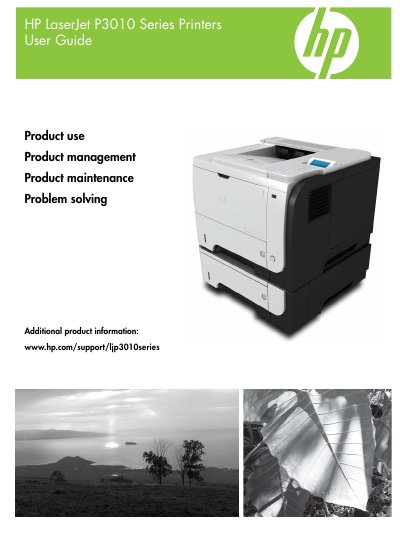
HP LaserJet P3010 Series Printers User Guide
This guide covers the full lifecycle of the HP LaserJet P3010 Series printers, including product basics, control panel usage, and software installation for Windows and Macintosh. It details how to configure network settings, manage paper and print media, and utilize various product features like EconoMode and job storage.
Read onlineHP P3010 specifications
| Tray 1 Capacity | 100 sheets of 75 g/m2 (20 lb) bond |
|---|---|
| Tray 2 Capacity | 500 sheets of 75 g/m2 (20 lb) bond |
| Paper Weight Range (Tray 1) | 60 g/m2 (16 lb) to 199 g/m2 (53 lb) |
| Paper Weight Range (Tray 2) | 60 g/m2 (16 lb) to 120 g/m2 (32 lb) |
All HP P3010 documents by type
Day-to-day operation, settings and troubleshooting. Start here if the product is already set up.
Questions answered in these manuals
How do I set a password for the integrated web server?
Open the web server by entering the product’s IP address in your browser, click Settings, then Security, click Configure, enter the new password twice, and click Apply.
Which menus are locked at the maximum security level?
At maximum security, the RECOVER TASK menu requires a PIN, and the INFORMATION, PAPER MANAGEMENT, DEVICE CONFIGURATION, and DIAGNOSTICS menus are locked.
What operating systems are supported for Windows?
The guide lists supported operating systems for Windows starting on page 40.
How do I change the network password?
You can set or change the network password from the control panel.
What paper weight range is supported in tray 1?
Tray 1 supports bond paper from 60 g/m2 to 199 g/m2, with a maximum stack height of 12 mm.
How many envelopes can be loaded in tray 1?
Tray 1 holds up to 10 envelopes weighing 75 g/m2 to 90 g/m2 bond paper.