
Key facts
- Brand
- HP
- Model
- 8.00
- Category
- Other software
- Industry
- Software
- Documents
- 51
- Languages
- EN · ZH · HR · ES · RU
- Last added
- 2026-11-25
Start here
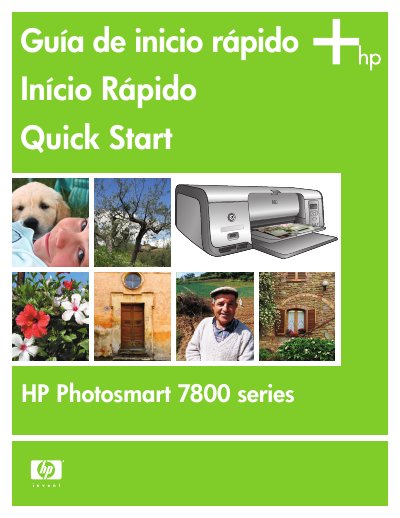
HP Photosmart 7800 Series Printer Quick Start Guide
This HP Photosmart 7800 series Quick Start Guide walks through initial printer setup: unpacking the printer and checking box contents, connecting the power supply, turning the printer on, and unfolding the paper trays. It also notes that Windows users should not connect the USB cable until prompted during software installation.
The guide then explains installing the HP Tri-color print cartridge in the left stall and the HP Photo print cartridge in the right stall, followed by loading plain letter paper for print cartridge alignment. The same setup steps are provided in Spanish, Portuguese and English. This manual is written in Spanish.
HP 8.00 specifications
| Processor | Intel® Core™ i5-12500T (up to 4.4 GHz with Intel® Turbo Boost Technology, 18 MB L3 cache, 6 cores, 12 threads) |
|---|---|
| Memory | 16 GB DDR5-4800 MHz RAM |
| Storage | 256 GB PCIe® NVMe™ TLC SSD |
| Graphics | Integrated Graphics (Intel® UHD Graphics 770) |
| Operating System | Windows 11 Pro |
| Security | HP Wolf Pro Security Edition (HP Sure Click Pro and HP Sure Sense Pro) |
| Wireless | Intel® Wi-Fi 6E AX211 (2x2) and Bluetooth® 5.2 combo |
| Dimensions | 17.7 x 17.5 x 3.4 cm (6.97 x 6.89 x 1.35 in) |
| Weight | 1.42 kg (3.13 lb) |
Source: HP Elite Mini 800 G9 Desktop PC (68S66UT) Product Leaflet
All HP 8.00 documents by type
Day-to-day operation, settings and troubleshooting. Start here if the product is already set up.
- HP Project and Portfolio Management Center Software 8.00 Multilingual User Interface Guide 96 p
- HP zd8000 Series Notebook Computer Hardware and Software Guide 190 p
- HP 2800/4100gl Series Switch Port Trunking User Guide 28 p
- HP EliteDesk 800 G2 TWR Business PC Hardware Reference Guide 56 p
- HP Compaq 8000 Elite Business PC Intel vPro Setup and Configuration Guide 35 p
- HP EliteDesk 800 G1 / 705 G1 / ProDesk 600 G1 / 400 G1 Mini Desktop Computer User Manual 35 p
- HP Z800 Optimizing PCI-Express Bandwidth Guide 1 p
- HP Deskjet 6800 Series Network Guide Reference Guide 2 p
- HP Officejet Pro 8000 A809 Printer User Manual 162 p
- HP ENVY Photo 7800 All-in-One Series User Guide 203 p
- HP ENVY Photo 7800 All-in-One User Manual 13 p
- HP NetServer E 800 User Guide 108 p
- HP Latex 3800 Jumbo Roll Solution User Guide 441 p
- HP DeskJet Ink Advantage Ultra 4800 Series Control Panel Function Guide 4 p
- HP Color LaserJet 3000/3600/3800 Series Printer User Manual 212 p
- HP Scanjet 7800 User Manual 2 p
- HP Deskjet 9800 Printer User Manual 164 p
- HP Officejet Pro 8000 (A809) Printer series user manual 138 p
- HP Business Inkjet 2800 Series Color Inkjet Printer User Manual 6 p
- HP StorageWorks NAS 8000 User Manual 4 p
- HP Z800 Workstation User Manual 2 p
- HP Designjet 8000s Large Format Printer User Manual 6 p
- HP Scanjet 4800 Series Photo Scanner User Manual 27 p
- HP Deskjet 6800 Series Printer User Manual 179 p
- HP Deskjet 6800 Series Printer User Guide 160 p
- HP Photosmart 7800 Series User Manual 50 p
- HP B8800 series Printer User Manual 90 p
- HP Elite Mini 800 G9 Desktop PC (68S66UT) Product Leaflet 14 p
- HP LaserJet 8000 Series Laser Printer Technical Data 6 p
- HP 3800 Switch Series Fully Managed Gigabit Ethernet Switch Data Sheet 20 p
- HP Indigo WS6800 Digital Press Product Brochure 4 p
- HP EliteDesk 800 G1 Ultra-Small Form Factor Commercial Desktop Data Sheet 4 p
- HP Presario B2800 Laptop Product Specification 2 p
Disassembly, diagnostics and part numbers, for repair.
- HP EliteDesk 800 G3 SFF Business PC Maintenance and Service Guide 154 p
- HP EliteDesk 800 G2 SFF Business PC Hardware Reference Guide 58 p
- HP EliteDesk 800 G4 SFF Business PC Maintenance and Service Guide 144 p
- HP EliteDesk 800 G4 SFF Business PC Maintenance and Service Guide 145 p
- HP EliteDesk 800 G2 SFF Business PC Maintenance and Service Guide 154 p
- HP Color LaserJet 3000/3600/3800 Series Printers Service Manual 372 p
How to use the product for one specific task, with worked examples.
The shortest path to a working setup, usually only a few pages.
Mounting, wiring and first power-up. Read it before the hardware goes in.
Questions answered in these manuals
Who is this document written for?
It is written for system and instance administrators responsible for setting up and maintaining a PPM Center instance.
From: HP Project and Portfolio Management Center Software 8.00 Multilingual User Interface Guide
What is the multilingual user interface?
The multilingual user interface, or MLU, provides support for multiple languages on a single instance of PPM Center.
From: HP Project and Portfolio Management Center Software 8.00 Multilingual User Interface Guide
What processor does the HP Elite Mini 800 G9 have?
It has an Intel® Core™ i5-12500T processor with up to 4.4 GHz with Intel® Turbo Boost Technology, 18 MB L3 cache, 6 cores, and 12 threads.
From: HP Elite Mini 800 G9 Desktop PC (68S66UT) Product Leaflet
What is the storage capacity and type?
It includes a 256 GB PCIe® NVMe™ TLC SSD.
From: HP Elite Mini 800 G9 Desktop PC (68S66UT) Product Leaflet
How do I interpret diagnostic codes displayed on the power button?
If the power button light is flashing red, there is a problem with the computer and it is displaying a diagnostic code. Refer to the Maintenance and Service Guide to interpret the code.
From: HP EliteDesk 800 G3 SFF Business PC Maintenance and Service Guide
What is the operating temperature range for this PC?
The operating temperature range is 50° to 95°F (10° to 35°C).
From: HP EliteDesk 800 G3 SFF Business PC Maintenance and Service Guide