
The HP Color LaserJet 3700 printer supports parallel connection, which can be achieved by using a bidirectional parallel cable that complies with the IEEE-1284 standard to connect the printer to a computer. The parallel interface provides bidirectional communication and backward compatibility, but it is recommended to use USB or network connection for optimal performance.
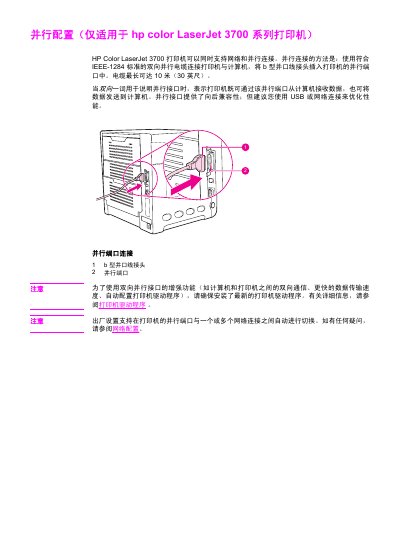
The document provides instructions for connecting the HP Color LaserJet 3700 series printer to a computer via a parallel interface. It specifies that this connection method uses a bidirectional cable conforming to the IEEE-1284 standard, with a maximum length of 10 meters (30 feet). The guide details how to insert the Type B parallel cable connector into the printer's parallel port. This manual is written in Chinese.
The cable can be up to 10 meters (30 feet) long.
You must use a bidirectional parallel cable with a B-type parallel port connector.