
Key facts
- Brand
- HP
- Model
- 7.50
- Category
- Other
- Industry
- Electronics
- Documents
- 16
- Languages
- EN · ES · SL · ZH · JA · ZH-TW
- Last added
- 2026-11-26
Start here
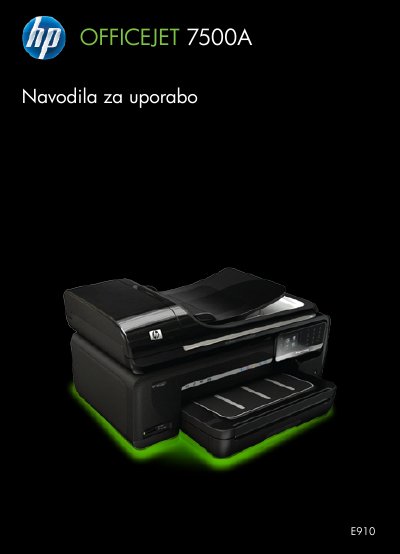
HP OfficeJet 7500A (E910) User Manual
This manual provides step-by-step instructions for operating the HP OfficeJet 7500A (E910) multifunction printer. It includes sections on printing, scanning, copying, and faxing, as well as maintenance and troubleshooting. Safety precautions and technical specifications are also detailed. The guide is written in Slovenian but contains English product names and technical terms.
Read onlineHP 7.50 specifications
| UPS minimum capacity | 3000 VA |
|---|---|
| UPS voltage range | 200–240 VAC |
| UPS frequency | 50/60 Hz |
| UPS maximum current rating | 12 Amps |
| Installation time | two working days |
| White ink upgrade kit part number | CQ118A |
Source: HP Scitex FB550/FB750 Printer Site Preparation Guide
All HP 7.50 documents by type
Day-to-day operation, settings and troubleshooting. Start here if the product is already set up.
- HP Client Automation Application Usage Manager 7.50 Migration Guide 28 p
- HP Universal CMDB 7.50 Database Guide 244 p
- HP OfficeJet 7500A (E910) User Manual 258 p
- HP Officejet 7500A E910 User Manual 246 p
- HP OfficeJet 7500A E910 Getting Started Guide 62 p
- HP Smart Tank 660-670 710-720 750 Series User Guide 103 p
- HP Smart Tank 660-670/710-720/750 Series User Guide 103 p
- HP OfficeJet 7500A E910 User Guide 32 p
- HP Officejet Pro L7300/L7500/L7600/L7700 All-in-One User Manual 239 p
Mounting, wiring and first power-up. Read it before the hardware goes in.
Disassembly, diagnostics and part numbers, for repair.
Questions answered in these manuals
What is the software version of HP Client Automation Application Usage Manager covered in this guide?
The software version is 7.50.
From: HP Client Automation Application Usage Manager 7.50 Migration Guide
What is the previous version of the Application Usage Manager that this guide upgrades from?
The previous release was version 7.20.
From: HP Client Automation Application Usage Manager 7.50 Migration Guide
What is the average installation time for the printer?
The average time required for installing the printer is two working days.
What UPS capacity does the printer require?
The UPS must be a single-phase UPS capable of sourcing a minimum of 3000 VA.
How long does it take to load ink in the HP ET-2750?
The ink loading process takes approximately 10 minutes.
What should you do if ink doesn't flow from the bottle?
Lift and reinsert the bottle.