
Key facts
- Brand
- HP
- Model
- PageWide Managed Color MFP E77650, E77660, P77440, P77940, P77950, P77960
- Category
- All-in-one printer
- Industry
- Electronics
- Documents
- 2
- Languages
- ES · EN
- Last added
- 2026-11-24
Start here
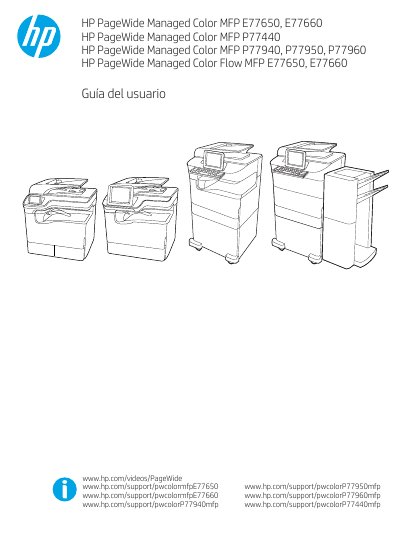
HP PageWide Managed Color MFP E77650 E77660 P77440 P77940 P77950 P77960 User Guide
This user guide provides detailed instructions for the HP PageWide Managed Color MFP and Flow MFP series. It covers a wide range of models including the E77650, E77660, P77440, P77940, P77950, and P77960.
The manual includes guidance on hardware installation, paper tray loading, consumables replacement, and operating the printer's printing, copying, scanning, and faxing functions. It also details printer management via the Embedded Web Server (EWS) and troubleshooting procedures. This manual is written in Spanish.
All HP PageWide Managed Color MFP E77650, E77660, P77440, P77940, P77950, P77960 documents by type
Day-to-day operation, settings and troubleshooting. Start here if the product is already set up.
Mounting, wiring and first power-up. Read it before the hardware goes in.
Questions answered in these manuals
How can I resolve paper feed errors?
Refer to the troubleshooting section for when the printer does not pick up paper or feed errors occur.
From: HP PageWide Managed Color MFP E77650 E77660 P77440 P77940 P77950 P77960 User Guide
How do I manage the printer remotely?
Advanced configuration can be performed using the HP Embedded Web Server (EWS).
From: HP PageWide Managed Color MFP E77650 E77660 P77440 P77940 P77950 P77960 User Guide
Do cables come included with the printer?
No, the cables are not included with the printer.
From: HP PageWide Managed Color MFP E77650, E77660, P77440, P77940, P77950, P77960 Installation Guide
What paper size should be used to initialize the printer?
Use Letter/A4 paper in Tray 2 to initialize the printer.
From: HP PageWide Managed Color MFP E77650, E77660, P77440, P77940, P77950, P77960 Installation Guide