
This user guide introduces the basic operations of the Philips Xenium X520 phone, including power on/off, making phone calls, receiving phone calls, adjusting volume, using headphones, etc.
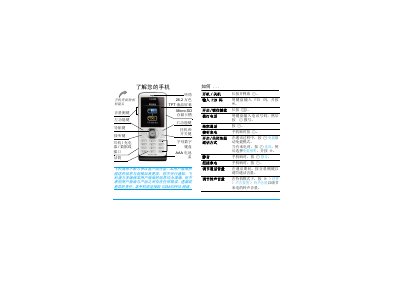
This guide introduces the Xenium X520 mobile phone, covering basic operations such as turning the device on and off, dialing numbers, answering and ending calls, adjusting volume, and using the handset and speaker. It also explains the layout of the keypad, function keys, and navigation controls.
Further sections describe how to insert and remove the SIM card and micro‑SD card, charge the phone with AC power or backup‑power, use built‑in applications like the camera, media player, and browser, and provides troubleshooting, warranty, and environmental information. This manual is written in Chinese.
| Display | 26.2 万色 TFT LCD |
|---|---|
| Memory Card Slot | Micro SD |
| Network | GSM/GPRS |
Press and hold the power key, then release.
Turn off the phone, remove the back cover, and slide the SIM card into the slot until it clicks into place.
Insert the charger plug into the phone and then plug the other end into an AC outlet; charging indicators will appear on the screen.
The phone has a micro‑SD card slot for expandable storage.