
This printer makes it easy and efficient to print large format files, saving you up to half the time it takes to output your print jobs. With this easy-to-use, intuitive printer, you’ll wonder why you waited so long to bring large format in-house printing to your business.
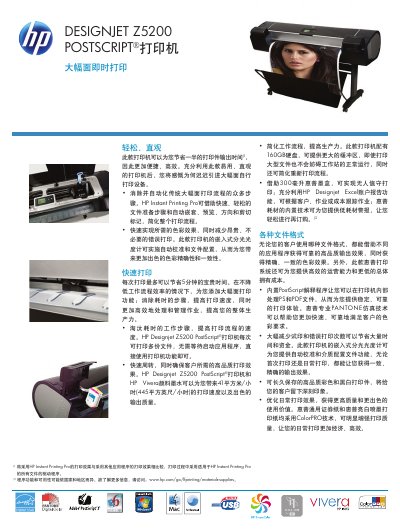
The Designjet Z5200 is a 44‑inch large‑format PostScript printer that delivers high‑speed, high‑quality color output with HP Vivera pigment inks. It supports fast printing rates of up to 41 m²/h and a maximum resolution of 2400 × 1200 dpi, making it suitable for technical, architectural, and graphic applications.
This manual includes detailed product specifications, a list of accessories and consumables, installation guidance, connectivity options, supported media types, and software drivers. It also covers environmental requirements, safety certifications, and warranty information to help users set up and maintain the printer efficiently. This manual is written in Chinese.
| Print speed (color, fast mode) | 41 m²/h (445 sq ft/h) |
|---|---|
| Maximum resolution | 2400 × 1200 dpi |
| Maximum print width | 44 inches |
| Processor and memory | Intel® LE80578 800 MHz, 48 GB virtual memory, 160 GB hard drive |
| Connectivity | Gigabit Ethernet, USB 2.0, EIO Jetdirect slot |
| Print languages | Adobe PostScript 3, Adobe PDF, TIFF, JPEG, CALS G4, HP PCL 3 GUI, HP‑GL/2 |
| Ink type | HP Vivera pigment ink |
| Maximum power consumption | 170 W (max), <12 W (energy‑saving mode) |
The printer can print up to 41 m² per hour (445 sq ft/h) in fast mode.
It supports Adobe PostScript 3, Adobe PDF, TIFF, JPEG, CALS G4, HP PCL 3 GUI, and HP‑GL/2.
The printer includes a Gigabit Ethernet port, a USB 2.0 port, and an EIO Jetdirect accessory slot.
It uses HP Vivera pigment ink cartridges.