
This document is a Basics Guide for the HP Photosmart D7200 series printer, providing information on the overview of the printer, network setup, features and functions, troubleshooting and support, and technical specifications.
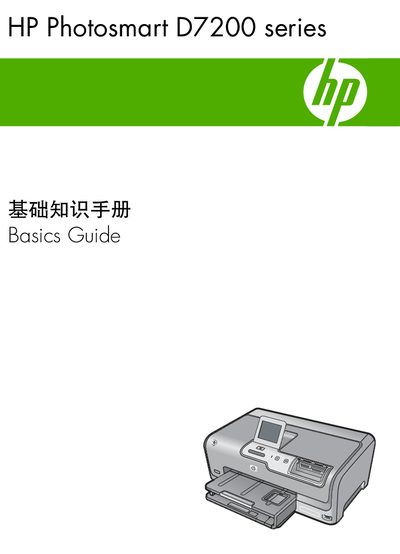
This manual introduces the HP Photosmart D7200 series printer, describing its main features, control panel, and supported media. It is intended to help users quickly set up and operate the printer, whether via USB or Ethernet.
Key sections cover network configuration, printing functions, troubleshooting steps, and detailed technical specifications such as paper capacities, physical dimensions, power requirements, and environmental limits. This manual is written in Chinese.
| Main input tray capacity | Up to 100 sheets (20 lb./75 gsm) |
|---|---|
| Output tray capacity | Up to 50 sheets (20 lb./75 gsm) |
| Photo tray capacity | Up to 20 sheets |
| Height | 17.2 cm (6.8 inches) |
| Width | 46 cm (18.1 inches) |
| Depth | 38.7 cm (15.2 inches) |
| Weight | 7.8 kg (17.1 pounds) with supplies installed |
| Power consumption | 25 watts maximum (average printing) |
| Input voltage | AC 100‑240 V ~ 1300 mA 50‑60 Hz |
| Output voltage | DC +32 V = 1560 mA |
| Recommended operating temperature | 15 °C to 32 °C (59 °F to 90 °F) |
| Allowable operating temperature | 5 °C to 35 °C (41 °F to 95 °F) |
| Humidity range | 15 % to 80 % RH non‑condensing |
Connect an Ethernet cable from the printer’s Ethernet port on the back to a router, switch, or hub, then install the HP software to configure the network connection.
Unplug the USB cable from the back of the printer, then plug an Ethernet cable into the printer’s Ethernet port and follow the network setup steps in the manual.
The main input tray holds up to 100 sheets of plain paper (20 lb./75 gsm).
The printer uses up to 25 watts of power during printing.