
Key facts
- Brand
- Philips
- Model
- SA2MUS16
- Documents
- 5
- Languages
- SV · EN · ZH
- Last added
- 2011-12-29
Start here
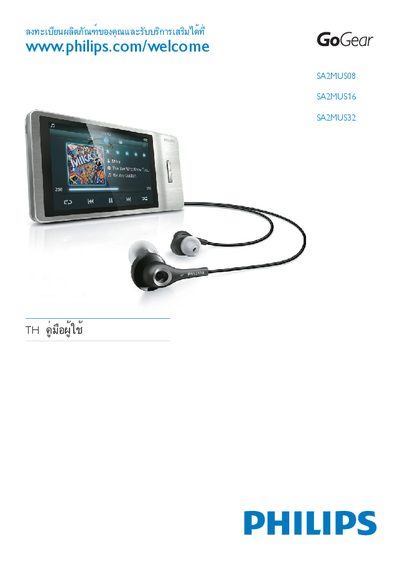
Philips SA2MUS08/SA2MUS16/SA2MUS32 Quick Start Guide
This guide provides an overview of the Philips SA2MUS series, including the SA2MUS08, SA2MUS16 and SA2MUS32 models. It introduces the Songbird interface, basic functions and safety information.
The document contains step‑by‑step instructions for initial setup, connecting the device to a computer, and using the built‑in music playback features. It also includes troubleshooting tips and reference to the full user manual for advanced configuration.
Philips SA2MUS16 specifications
| Battery capacity | 1,100 mAh lithium‑polymer |
|---|---|
| Audio playback time | 24 hours |
| Connectivity | 3.5 mm headphone jack, USB 2.0, HDMI |
| Output power (EU version) | 2 × 2.7 mW |
| Output power (non‑EU version) | 2 × 10.5 mW |
| Signal‑to‑noise ratio | > 85 dB |
| Frequency response | 20 – 18,000 Hz |
| Storage capacity | SA2MUS08 8 GB, SA2MUS16 16 GB, SA2MUS32 32 GB |
| Display | 480 × 320 pixel HVGA color LCD touchscreen |
All Philips SA2MUS16 documents by type
Day-to-day operation, settings and troubleshooting. Start here if the product is already set up.
The shortest path to a working setup, usually only a few pages.
Questions answered in these manuals
How do I connect and charge the MUSE device?
Connect the MUSE to a power source using the provided cable, then attach it to a computer to charge and enable data transfer.
How can I update the MUSE firmware?
Verify and manually update the fixed software by following the update procedure described in the manual.
How do I quickly start using the SA2MUS series?
Refer to the Quick start guide on page 8, which outlines the basic steps to power on the device, insert an SD card, and begin playback.
How can I update the MUSE software on the device?
Use the "更新MUSE" (Update MUSE) procedure described in the manual to download and install the latest software version.
What is the audio playback battery life?
The built‑in battery provides up to 24 hours of audio playback.
How do I format the MUSE to erase all music and data?
Choose the Format MUSE option in the Settings menu; this will erase all music and data on the device.