
Key facts
- Brand
- Philips
- Model
- MCD708
- Documents
- 6
- Languages
- EN · ZH
- Last added
- 2012-05-02
Start here
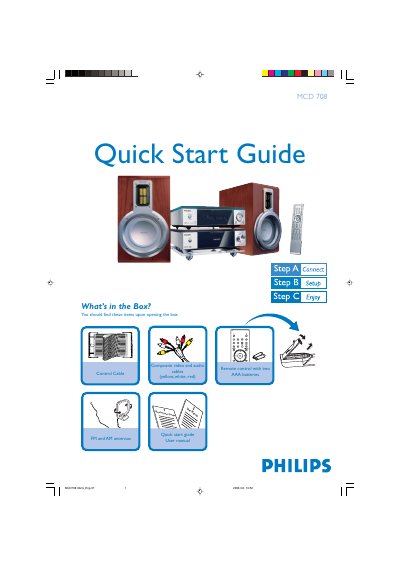
Philips MCD 708 Quick Start Guide
The guide begins with a checklist of items included in the box, such as the remote control, composite video/audio cables, FM and AM antennas, and a control cable. It then walks you through connecting the composite cables to a TV, attaching the power cords, and linking the speaker cables and antennas.
Subsequent sections cover setting the clock using the remote, playing a disc, and programming radio stations. Tips for progressive‑scan TV setups and additional functions are referenced to the full user manual.
Philips MCD708 specifications
| Remote control batteries | Two AAA batteries |
|---|---|
| Video/audio cables | Composite (yellow, white, red) |
| Antenna types | FM and AM antennas |
| Control cable | Included |
| Power connection | AC power cords for system and TV |
All Philips MCD708 documents by type
Day-to-day operation, settings and troubleshooting. Start here if the product is already set up.
Disassembly, diagnostics and part numbers, for repair.
The shortest path to a working setup, usually only a few pages.
Questions answered in these manuals
How do I set the clock on the MCD 708?
In standby mode, press and hold CLOCK on the remote, then use the volume +/- buttons to adjust hours and minutes, pressing CLOCK again to confirm.
How do I play a disc?
Press OPEN / CLOSE on the remote to open the tray, load the disc label‑side up, then press the button again to close; playback starts automatically.
How do I set the clock on the MCD708?
In standby mode, press and hold the CLOCK button on the remote, adjust the hour with the volume knob or remote, press CLOCK again to set minutes, adjust, then press CLOCK once more to confirm.
How do I connect the MCD708 to a TV?
Connect the composite video and audio cable (yellow, white, red) to the TV, attach the control cable, set the TV source to DISC, and plug the unit into AC power.
What aspect ratios does the MCD708 support?
The player supports both 4:3 and 16:9 aspect ratios.
Which region code is used by the MCD708?
The device is set to region code 2.