
Key facts
- Brand
- Philips
- Model
- MCD710
- Documents
- 7
- Languages
- EN · ZH
- Last added
- 2011-09-22
Start here
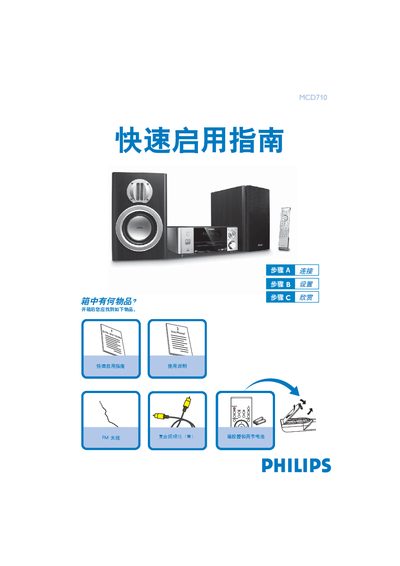
Philips MCD710 DVD Player Quick Start Guide
The guide lists the items included in the box, such as the remote control with batteries, composite video cable, FM antenna, speakers, power cord and USB cable. It shows how to connect the DVD player to a TV, attach the FM antenna, and power the unit.
It also explains how to set the clock, play a disc, use the tuner, and play audio files from a USB storage device, with step‑by‑step button instructions for each function. This manual is written in Chinese.
Philips MCD710 specifications
| Power supply | 220V/50 Hz |
|---|---|
| Dimensions (W × H × D) | 248 mm × 110 mm × 307 mm |
| Weight (including amplifier) | 5.01 kg |
| Amplifier output power (THD = 10 %) | 2 × 50 W RMS |
| Amplifier frequency response | 100 Hz – 20 kHz (±3 dB) |
| Signal‑to‑noise ratio | 60 dB |
| Speaker impedance | 8 Ω |
| Speaker sensitivity | 80 ± 4 dB |
| FM radio frequency range | 87.5 – 108 MHz |
| USB playback speed | 12 Mb/s (USB 1.1) |
| Maximum tracks / files | 99 tracks / 999 files |
All Philips MCD710 documents by type
Day-to-day operation, settings and troubleshooting. Start here if the product is already set up.
The shortest path to a working setup, usually only a few pages.
Questions answered in these manuals
How do I play a DVD disc?
Press the / key to open the disc tray, insert the disc with the label side up, then press the / key again to close the tray and playback starts automatically.
How can I play audio files from a USB device?
Insert the USB plug into the USB port, press the SOURCE (or USB) key to select USB, and the player will play the audio files just like a CD.
How can I register my MCD710 for support?
Visit the registration page at www.philips.com/welcome and follow the on‑screen instructions.
What is the correct way to clean a dirty disc?
Use a non‑abrasive cloth and wipe the disc from the centre outward, avoiding circular motions.
How do I connect the DVD system to a TV using component video?
Use a Y Pb Pr component video cable (red, blue, green) to connect the DVD system’s component video output to the TV’s component video input, then connect the audio cables for sound.
What should I do if the DVD system does not start playing?
Insert a readable disc with the correct side up, check the disc type, colour system and region code, and make sure the disc is free of scratches or dirt.