
This is a quick start guide and user manual for the MCD 708 audio-video system. The system includes composite video and audio cables, FM and MW antennas, and a control cable for connecting to a TV and speakers. Users can set up and enjoy discs and radio programs using the remote control and DVD menu options. Detailed instructions for connection and setup are provided.
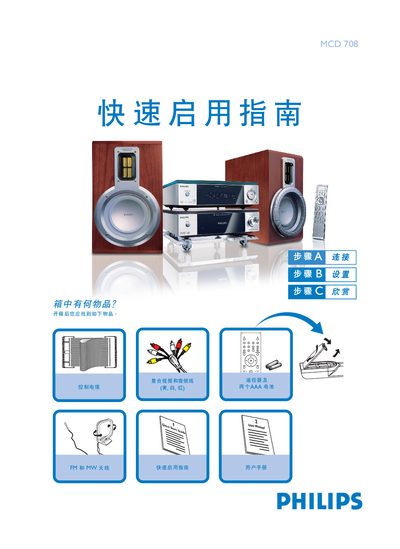
The guide provides step‑by‑step instructions for unpacking the Philips MCD708 DVD player, connecting it to a television and speakers, and powering the unit.
It also explains how to set the clock, use the DVD menu, play discs, and program FM/MW radio stations, with notes on interlaced‑scan settings. This manual is written in Chinese.
| Remote battery type | Two AAA batteries |
|---|---|
| Video/audio output | Composite video and audio (yellow, white, red) |
| Antenna connections | FM and MW antennas |
| Power connection | Connect to AC mains power |
In standby mode, press and hold the CLOCK button on the remote, adjust the hour with the volume knob or remote, press CLOCK again to set minutes, adjust, then press CLOCK once more to confirm.
Connect the composite video and audio cable (yellow, white, red) to the TV, attach the control cable, set the TV source to DISC, and plug the unit into AC power.
Select the radio source, press and hold the PROG button for more than two seconds, then use the PRESET +/- keys to store each desired station.