
Key facts
- Brand
- Philips
- Model
- DVDR3570H
- Category
- Player
- Industry
- Appliances
- Documents
- 7
- Languages
- EN · ZH · JA
- Last added
- 2012-05-02
Start here
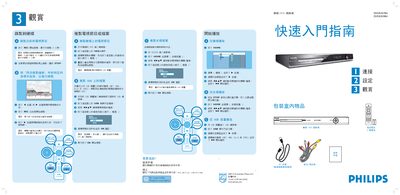
Philips DVDR3570H DVD Burner Quick Start Guide
This guide provides step‑by‑step instructions for using the Philips DVDR3570H DVD burner. It explains how to start and stop recordings, select recording length, and use the remote control for playback of TV programs, DVDs and USB media.\n\nThe document also describes how to connect the burner to a TV, antenna, and external devices via CVBS, AUDIO, and USB cables, and lists the available recording modes and their corresponding recording times. This manual is written in Japanese.
Read onlinePhilips DVDR3570H specifications
| Hard Disk Capacity | 160 GB |
|---|---|
| Picture D/A Converter | 10 bit, 54 MHz |
| Picture A/D Converter | 10 bit, 54 MHz |
| Sound D/A Converter | 24 bit, 96 kHz |
| Sound A/D Converter | 24 bit, 96 kHz |
| Recording System | PAL |
| Video Compression Format | MPEG2 |
| Power Consumption | 28 W (operating), 3.7 W (standby) |
| Power Supply | 220‑240 V, 50 Hz |
| Product Dimensions (W×D×H) | 435 mm × 324 mm × 43 mm |
All Philips DVDR3570H documents by type
Day-to-day operation, settings and troubleshooting. Start here if the product is already set up.
- Philips DVDR3570H DVD Recorder User Manual 3 p
- DVDR3570H/DVDR3590H/DVDR5590H DVD/HDD Recorder User Manual 92 p
- Philips DVDR3570H/DVDR3590H DVD Disc-Carving Machine User Guide 2 p
- Philips DVDR3570H DVDR3590H DVD Recorder User Manual 104 p
- Philips DVDR3570H DVDR3590H User Manual 104 p
- Philips DVDR3570H DVDR3590H DVD/HDD Recorder User Manual 95 p
The shortest path to a working setup, usually only a few pages.
Questions answered in these manuals
What is the hard‑disk capacity of the DVDR3570H?
The recorder includes a built‑in 160 GB hard disk.
Which video recording format does the DVDR3570H support?
It records video using the MPEG2 format.
How do I pause live TV?
Press the PAUSE LIVE TV button on the remote control or the front panel to pause the current live TV program.
From: DVDR3570H/DVDR3590H/DVDR5590H DVD/HDD Recorder User Manual
What file types can be recorded with the machine?
You can load MP3, WMA, DivX and JPEG files from a USB drive for recording.
From: Philips DVDR3570H/DVDR3590H DVD Disc-Carving Machine User Guide
How do I stop a recording session?
Press the STOP button on the controller before the recording time ends.
From: Philips DVDR3570H/DVDR3590H DVD Disc-Carving Machine User Guide
How can I upgrade the DVD system software?
Visit www.philips.com/support to download software upgrades for the DVD recorder.