
Key facts
- Brand
- Philips
- Model
- DVDR3345
- Category
- Player
- Industry
- Appliances
- Documents
- 3
- Languages
- ZH · EN · JA
- Last added
- 2012-03-26
Start here
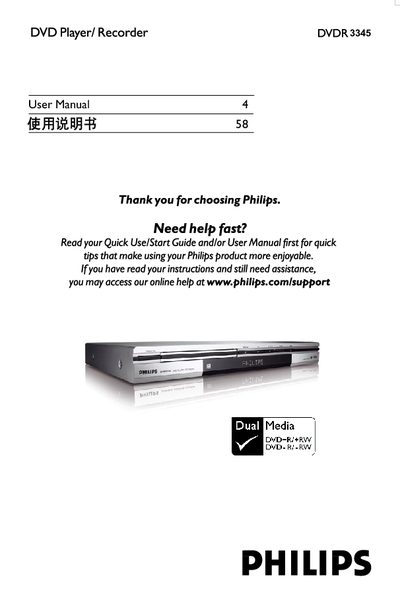
Philips DVDR 3345 User Manual
This manual covers the basic connections, remote control operation, and step‑by‑step setup for the Philips DVDR 3345 DVD recorder. It includes instructions for installing batteries, connecting video and audio cables, and configuring TV channel settings.
Additional sections explain recording options, disc handling, editing, playback features, system menu settings, and safety guidelines. Frequently asked questions address disc types, capacities, and recording modes, while the specifications detail the laser and optical performance of the device.
Philips DVDR3345 specifications
| Supported disc formats | DVD±R/±RW |
|---|---|
| Recording modes | 1‑hour, 2‑hour, 4‑hour, 6‑hour |
| Video inputs | Front CVBS, Front S‑Video, Rear CVBS, Rear S‑Video, DV, YUV |
All Philips DVDR3345 documents by type
Day-to-day operation, settings and troubleshooting. Start here if the product is already set up.
Questions answered in these manuals
How can I change the language of the on‑screen menus?
Press SYSTEM MENU, go to the Language Menu, and select the desired language for the menu, subtitles, and audio.
How do I set the date and time on the recorder?
Enter SYSTEM MENU, select the Clock/Time menu, input the date and time using the numeric keys, and confirm with OK.
What kind of disc should I use for recording?
You can only record on DVD+R and DVD+RW discs, which are the most compatible recordable DVD formats.
What is the capacity of a DVD+R/+RW disc?
A DVD+R/+RW disc holds 4.7 GB, roughly equivalent to six CDs, allowing about one hour of high‑quality recording or six hours at lower quality.
What input voltage does the DVDR3345 support?
It operates on 110‑240 V, 50/60 Hz.
What audio format is supported?
The player supports Dolby Digital audio.