
This manual describes how to use the Hisense HR570 recorder. It covers topics such as connecting, setting up, recording, copying, and playing back.
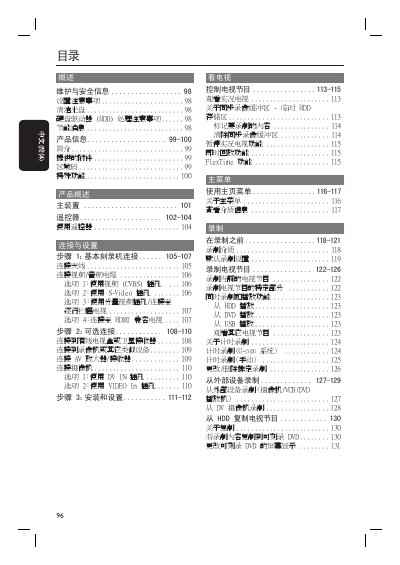
The manual covers safety information, installation steps, and connection options for antenna, video/audio cables, HDMI, and USB. It explains how to use the remote control, navigate menus, and configure system settings such as language, video output, and power‑saving modes.
Detailed sections describe recording functions (live TV pause, instant replay, FlexTime, G‑CODE scheduling), playback of various media formats, file management on the internal hard disk and external devices, and troubleshooting of common error conditions. Technical specifications for the three model variants are listed at the end of the document. This manual is written in Chinese.
| Hard disk capacity | 160 GB (DVDR3570H), 250 GB (DVDR3590H), 500 GB (DVDR5590H) |
|---|---|
| Power consumption (recording) | 28 W (DVDR3570H), 35 W (DVDR3590H/5590H) |
| Dimensions (W × H × D) | 435 × 43 × 324 mm |
| Net weight | 3.85 kg |
Press the PAUSE LIVE TV button on the remote control or the front panel to pause the current live TV program.