
Key facts
- Brand
- Philips
- Model
- DVDR3590H
- Category
- Player
- Industry
- Appliances
- Documents
- 6
- Languages
- ZH · EN
- Last added
- 2012-03-16
Start here
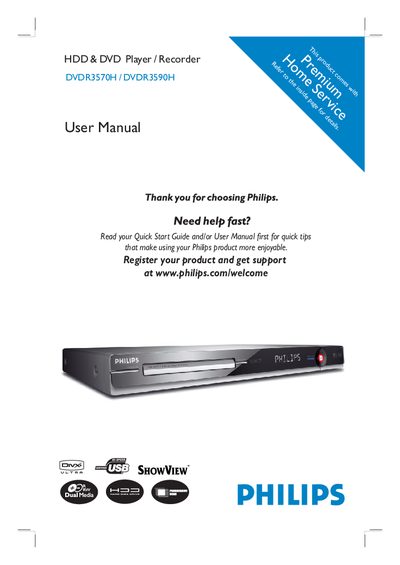
Philips DVDR3570H DVDR3590H DVD Recorder User Manual
This manual covers safety precautions, installation steps, and connection options for the Philips DVDR3570H and DVDR3590H DVD recorders. It explains how to position the unit, connect antennas, video/audio cables, and optional devices such as cable boxes, VCRs, or camcorders.
The guide also details recording features (timer, time‑shift, simultaneous record/play), playback options, editing functions, system settings, and energy‑saving modes. A troubleshooting section and FAQs help resolve common issues, while contact information for Philips support is provided.
Philips DVDR3590H specifications
| Hard disk capacity | 160 GB (DVDR3570H), 250 GB (DVDR3590H), 500 GB (DVDR5590H) |
|---|---|
| Power consumption (recording) | 28 W (DVDR3570H), 35 W (DVDR3590H/5590H) |
| Dimensions (W × H × D) | 435 × 43 × 324 mm |
| Net weight | 3.85 kg |
Source: DVDR3570H/DVDR3590H/DVDR5590H DVD/HDD Recorder User Manual
All Philips DVDR3590H documents by type
Day-to-day operation, settings and troubleshooting. Start here if the product is already set up.
- DVDR3570H/DVDR3590H/DVDR5590H DVD/HDD Recorder User Manual 92 p
- Philips DVDR3570H/DVDR3590H DVD Disc-Carving Machine User Guide 2 p
- Philips DVDR3590H Hard Disk DVD Recorder User Manual 2 p
- Philips DVDR3570H DVDR3590H DVD Recorder User Manual 104 p
- Philips DVDR3570H DVDR3590H User Manual 104 p
- Philips DVDR3570H DVDR3590H DVD/HDD Recorder User Manual 95 p
Questions answered in these manuals
How do I pause live TV?
Press the PAUSE LIVE TV button on the remote control or the front panel to pause the current live TV program.
From: DVDR3570H/DVDR3590H/DVDR5590H DVD/HDD Recorder User Manual
What file types can be recorded with the machine?
You can load MP3, WMA, DivX and JPEG files from a USB drive for recording.
From: Philips DVDR3570H/DVDR3590H DVD Disc-Carving Machine User Guide
How do I stop a recording session?
Press the STOP button on the controller before the recording time ends.
From: Philips DVDR3570H/DVDR3590H DVD Disc-Carving Machine User Guide
How many movies can be stored on the built‑in hard disk?
The 250 GB hard disk can hold about 250 DivX movies.
What is the DVD recording speed of the DVDR3590H?
The recorder supports DVD recording at up to 32× speed.
How can I upgrade the DVD system software?
Visit www.philips.com/support to download software upgrades for the DVD recorder.