
This document provides instructions for installing and using the Philips car audio system. It includes steps for connecting and mounting the unit, and also describes the features and characteristics of the product.
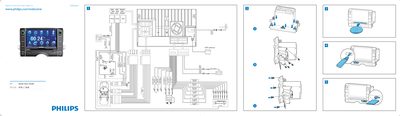
This Quick Start Guide introduces the Philips CID3610 in‑car entertainment unit and shows how to install it in the dashboard, connect the wiring, and power the device. It also explains how to select the on‑screen display language and set the date and time.
The guide walks through using the navigation map, listening to FM/AM radio, playing DVDs, CDs, VCDs, and USB/SD media, and pairing a Bluetooth phone for hands‑free calls. Each function is described with step‑by‑step tap instructions.
| Supported disc formats | DVD Video, DVD‑R, DVD‑RW, VCD, Audio CD, CD‑R, CD‑RW |
|---|---|
| Radio bands | FM1, FM2, FM3, AM1, AM2 |
| Bluetooth default password | 0000 |
| OSD language selection | Tap a language with fingertip |
Press the MUTE/VOL+ button to turn on the unit, then tap the desired language with your fingertip on the OSD screen.