
Key facts
- Brand
- Philips
- Model
- BDL4651VH
- Industry
- Appliances
- Documents
- 2
- Languages
- EN
- Last added
- 2012-03-28
Start here
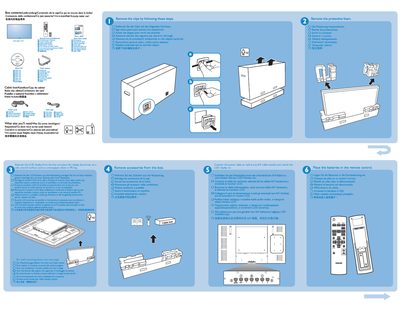
Philips BDL4651VH Quick Start Guide
This guide lists the items supplied in the box, such as the cable box and other accessories, and explains what additional components may be needed for installation. It also describes the rear connectors that allow the device to be linked to a PC.
The document details wall‑mounting requirements, specifying that 10 mm screws are needed (not included) and shows portrait and landscape mounting options. It includes brief instructions for connecting the unit to a computer and mounting it on a wall.
Philips BDL4651VH specifications
| Screen size (Active Area) | 46" (117 cm) LCD |
|---|---|
| Resolution | 1920 x 1080 pixels |
| Brightness | 1500 cd/m² |
| Contrast ratio (typical) | 4000:1 |
| Power consumption (max) | 250 W |
| Speaker output | 12 W (L) + 12 W (R) RMS |
| HDMI input | HDMI Jack x 1 (Type A) |
All Philips BDL4651VH documents by type
Day-to-day operation, settings and troubleshooting. Start here if the product is already set up.
The shortest path to a working setup, usually only a few pages.
Questions answered in these manuals
How should I clean the Philips BDL4651VH display?
Unplug the display and wipe the screen with a slightly damp cloth or a dry cloth when the power is off; never use organic solvents such as alcohol or ammonia‑based liquids.
What steps should I take if no picture is displayed?
Check that the power cord is connected, the rear power switch is on, the selected input cable is properly attached, and that the display is not in standby mode.