
This document describes how to use the BDL4651VH LCD display, including how to remove it from the box, connect the power cable and AV cables, rotate the display, and mount it on a wall.
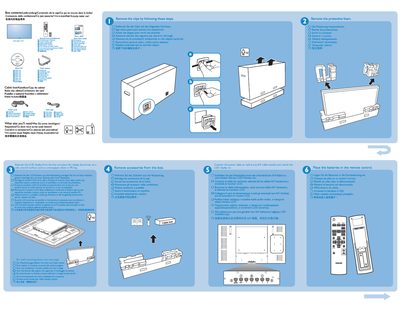
This guide lists the items supplied in the box, such as the cable box and other accessories, and explains what additional components may be needed for installation. It also describes the rear connectors that allow the device to be linked to a PC.
The document details wall‑mounting requirements, specifying that 10 mm screws are needed (not included) and shows portrait and landscape mounting options. It includes brief instructions for connecting the unit to a computer and mounting it on a wall.