
This guide provides step‑by‑step instructions for installing the HP sliding rack‑mount kit on Z600 and Z800 workstations.
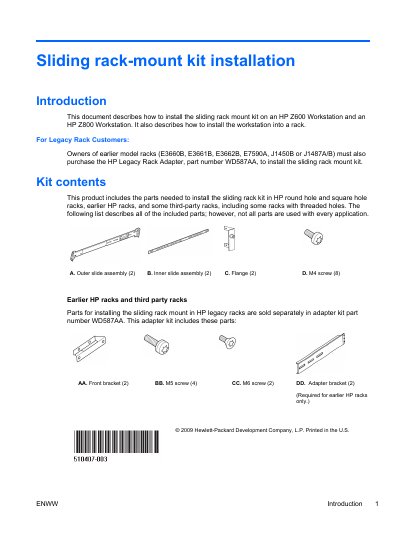
The document describes how to install the sliding rack‑mount kit on HP Z600 and Z800 workstations, including safety warnings, required tools, and a list of kit components. It also notes the need for a legacy rack adapter (part number WD587AA) for older HP racks.
Installation steps cover preparing the workstation, attaching rails and flanges, adjusting slides for different rack types, mounting the workstation into a rack, and re‑assembling the system. Mounting reference guides show the required 4U space for Z600 and 5U space for Z800.
| Legacy Rack Adapter Part Number | WD587AA |
|---|
Two people are necessary to properly align and install the workstation and rails.