
HP Deskjet 6800 Series Network Guide Reference Guide

This guide provides instructions for setting up the HP Deskjet 6800 Series printer network, connecting via Ethernet or wireless, and installing software.
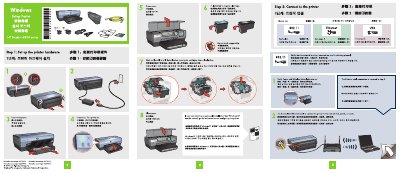

HP Deskjet 6800 Series Network Guide Reference Guide - cover page
Brand
HP
Category
Printer
Document type
User Manual
Language
English
Pages
2
File format
PDF
File size
2.7 MB
Published
11 November, 2026
Updated
11 November, 2026
MD5 checksum
19BC9DF5F28C45591F10FC3A444A80B6

About this manual

This document serves as a network guide and reference for the HP Deskjet 6800 Series printer. It details the steps required to set up the printer hardware, including loading paper and installing print cartridges. The guide also explains how to connect the printer to a network using either an Ethernet cable or wireless capabilities.

What's inside

  • Set up the printer hardware
  • Connect to the printer
  • Verify network status
  • Install printer software
  • Printer buttons and lights
  • Print Report Page
Download PDF (2.7 MB)

More HP Manuals


View all HP manuals →