
Key facts
- Brand
- HP
- Model
- Officejet 7610
- Category
- All-in-one printer
- Industry
- Computers
- Documents
- 2
- Languages
- EN · ZH-TW
- Last added
- 2026-11-17
Start here
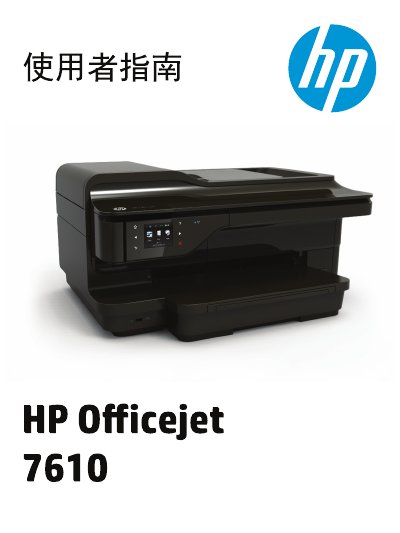
HP Officejet 7610 Wide Format e-All-in-One User Guide
This document is the user manual for the HP Officejet 7610 Wide Format e-All-in-One. It covers initial setup, safety information, and detailed instructions for operating the device's core functions including printing documents and photos, scanning to computer or email, copying, and sending/receiving faxes. This manual is written in Chinese.
Read onlineHP Officejet 7610 specifications
| AiO functions | Print, copy, scan, fax, Web |
|---|---|
| ISO print speed | Up to 15 ppm black; up to 8 ppm color |
| Scan resolution | Hardware up to 1200 x 1200 dpi (up to 600 x 600 dpi for B-Size); optical up to 1200 dpi |
| Copy speed | ISO: up to 9 cpm black; up to 6 cpm color |
| Fax speed | 34 sec per page |
| Standard connectivity | 1 USB (2.0); 1 Ethernet; 1 Wireless 802.11b/g/n; 1 USB host port; 2 RJ-11 fax |
| Memory | 256 MB |
| Duty cycle (monthly) | Up to 12,000 pages (letter) |
| Dimensions | 24.61 x 19.15 x 11.69 in (617 x 486.5 x 297 mm); maximum 24.61 x 26.42 x 11.69 in (625.2 x 671 x 297 mm) |
| Weight | 35.6 lb (16.2 kg) |
Source: HP Officejet 7610 Wide Format e-All-in-One Printer Product Leaflet
All HP Officejet 7610 documents by type
Day-to-day operation, settings and troubleshooting. Start here if the product is already set up.
Questions answered in these manuals
What functions does the HP Officejet 7610 support?
It supports print, copy, scan, fax and Web functions.
From: HP Officejet 7610 Wide Format e-All-in-One Printer Product Leaflet
What are the ISO print speeds of the HP Officejet 7610?
ISO speeds are up to 15 ppm black and up to 8 ppm color.
From: HP Officejet 7610 Wide Format e-All-in-One Printer Product Leaflet
What safety precautions must be followed before cleaning the product?
You must unplug the power cord from the wall outlet before cleaning the product.
Can users repair any parts of the product themselves?
No, there are no user-serviceable parts inside the unit.