
Key facts
Start here
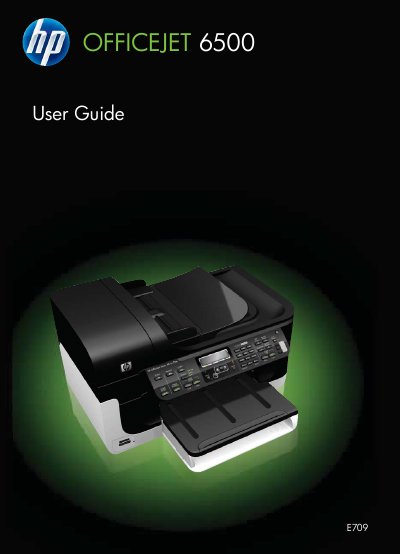
HP Officejet 6500 (E709) All-in-One User Guide
This manual provides step‑by‑step instructions for installing and operating the HP Officejet 6500 (E709) All‑in‑One printer. It includes safety information, device parts description, connection options, and software installation for both Windows and macOS.
The guide also details how to print, scan, copy, and fax documents, manage media and ink cartridges, configure network and wireless settings, and troubleshoot common issues such as power problems, paper jams, and print quality defects. This manual is written in Polish.
HP 650 页双层进纸匣 specifications
| Tray configuration | 550-sheet tray plus integrated 100-sheet multifunction tray |
|---|---|
| Recommended paper storage temperature | 21°C (70°F) |
| Recommended paper storage relative humidity | 40% |
| Label printing temperature range | 18–24°C (65–75°F) |
| Label printing relative humidity range | 40 to 60% |
All HP 650 页双层进纸匣 documents by type
Mounting, wiring and first power-up. Read it before the hardware goes in.
Day-to-day operation, settings and troubleshooting. Start here if the product is already set up.
- HP Officejet 6500 (E709) All-in-One Series User Manual 282 p
- HP OfficeJet 4650 All-in-One Series User Manual 137 p
- HP OJ4650 Printer Setup Guide 14 p
- HP Officejet 6500A E710 User Guide 250 p
- HP f650g Car Camcorder User Manual 87 p
- HP Deskjet 6500 Series Printer User Manual 191 p
- HP PageWide Managed Color MFP E77650, E77660 User Guide 264 p
- HP Officejet 6500A E710 e-All-in-One Series User Manual 248 p
- HP Officejet 6500 E709 All-in-One Series User Guide 282 p
- HP Officejet 6500 (E709) All-in-One User Guide 294 p
- HP Color LaserJet 4650 Series User Manual 252 p
- HP Deskjet 6500 series Printer User Manual 191 p
Questions answered in these manuals
What does the 650-sheet dual input tray include?
It contains a 550-sheet tray and an integrated 100-sheet multifunction tray.
What storage conditions are recommended for paper?
For best results, store paper at 21°C (70°F) and 40% relative humidity; label manufacturers recommend 18–24°C (65–75°F) and 40 to 60% relative humidity.
What functions does the HP Officejet 6500A Plus e-All-in-One provide?
It provides printing, fax, scanning, and copying.
From: HP Officejet 6500A Plus e-All-in-One Multifunction Printer Product Leaflet
What is the maximum print speed?
It prints up to 32 ppm in black and white and 31 ppm in color.
From: HP Officejet 6500A Plus e-All-in-One Multifunction Printer Product Leaflet
What is the recommended serviceability space?
HP recommends that the installation site support Serviceability Space Requirements allowing for 18 inches (457.2 mm) of servicing space on all four sides.
Does the printer require a dedicated power circuit?
Yes, US, EMEA, and AP regions require one power outlet for the printer on a dedicated circuit in the direct vicinity.