
Key facts
Start here
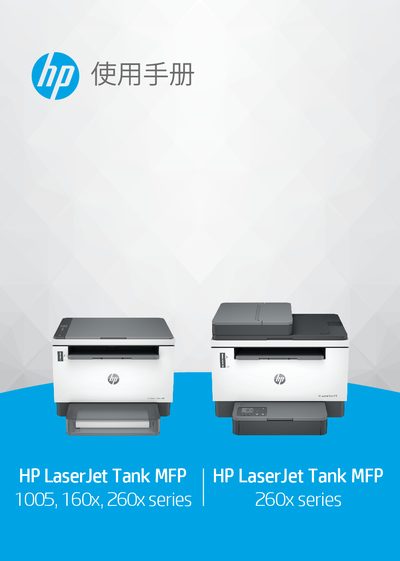
HP LaserJet Tank MFP 260x Series User Manual
This manual covers the HP LaserJet Tank MFP 260x Series multifunction printer, describing its components, control panel, and supported media types. It guides users through initial setup, connecting to networks, and using the HP Smart app for printing, scanning, and management.
Key sections include loading paper, envelopes and labels, printing, copying and scanning procedures, configuring wireless and Ethernet connections, managing toner and supplies, troubleshooting common issues, and detailed technical specifications such as dimensions, weight, power requirements, and operating environment.
HP Tank MFP 260x series specifications
| Height (closed, dn/dw/w/USB model) | 255 mm |
|---|---|
| Height (open, dn/dw/w/USB model) | 436.25 mm |
| Length (closed, dn/dw/w/USB model) | 326 mm |
| Length (open, dn/dw/w/USB model) | 419.61 mm |
| Width (dn/dw/w/USB model) | 368 mm |
| Weight (dn/dw/w/USB model) | 7.9 kg |
| Height (closed, sdn/sdw model) | 311.40 mm |
| Height (open, sdn/sdw model) | 452.83 mm |
| Length (closed, sdn/sdw model) | 345 mm |
| Length (open, sdn/sdw model) | 467.64 mm |
| Width (sdn/sdw model) | 418 mm |
| Weight (sdn/sdw model) | 9.5 kg |
| Operating Humidity (non‑condensing) | 30 % to 70 % RH |
All HP Tank MFP 260x series documents by type
Day-to-day operation, settings and troubleshooting. Start here if the product is already set up.
Questions answered in these manuals
How do I check the toner level?
Check the toner gauge indicator to determine when to add toner.
When can I add toner?
Toner can be added only when the port indicator shows an unlock icon.
How can I connect the printer to a Wi‑Fi network?
Use the Wi‑Fi Protected Setup (WPS) or the printer’s wireless settings menu to select and connect to your Wi‑Fi network.