
Key facts
- Brand
- HP
- Model
- LaserJet Professional M1130/M1210 MFP Series
- Category
- All-in-one printer
- Industry
- Computers
- Documents
- 10
- Languages
- RU · ES · ZH · EN
- Last added
- 2026-11-19
Start here
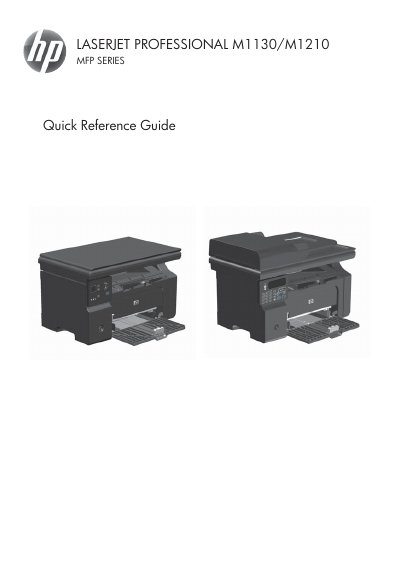
HP LaserJet Professional M1130/M1210 MFP Series Quick Reference Guide
The document serves as a Quick Reference Guide for the HP LaserJet Professional M1130/M1210 Multi-Function Printer (MFP) series. It provides step-by-step instructions for users to perform common tasks via Windows software or the device control panel.
Key operational topics covered include printing on special media such as labels and transparencies, performing manual duplex printing, creating booklets, adjusting copy reduction or enlargement, changing copy quality settings, managing a fax phonebook, and sending faxes from both the flatbed scanner and document feeder.
HP LaserJet Professional M1130/M1210 MFP Series specifications
| Input tray capacity | Up to 150 sheets of 60 g/m2 (16 lb) bond |
|---|---|
| Output bin capacity | Up to 100 sheets of 75 g/m2 (20 lb) bond |
| Document feeder capacity | Up to 35 sheets |
Source: HP LaserJet Professional M1130/M1210 MFP Series User Guide
All HP LaserJet Professional M1130/M1210 MFP Series documents by type
Day-to-day operation, settings and troubleshooting. Start here if the product is already set up.
- HP LaserJet Professional M1130/M1210 MFP Series Printer User Guide 310 p
- HP LaserJet Professional M1130/M1210 MFP Series Laser Multifunction Printer User Guide 304 p
- HP LaserJet Professional M1130/M1210 MFP Series User Guide 32 p
- HP LaserJet Professional M1130/M1210 MFP Series User Guide 284 p
- HP LaserJet Professional M1130/M1210 MFP Series User Guide 294 p
- HP LaserJet Professional M1130/M1210 MFP Series Quick Reference Guide 18 p
- HP LaserJet Professional M1130/M1210 MFP Series Software Technical Reference 194 p
- HP LaserJet Professional M1130/M1210 MFP Series User Guide 264 p
- HP LaserJet Professional M1130/M1210 MFP Series User Guide 278 p
The shortest path to a working setup, usually only a few pages.
Questions answered in these manuals
Can I print several pages on one sheet in Windows?
Yes, the guide includes a section on printing multiple pages per sheet in Windows.
From: HP LaserJet Professional M1130/M1210 MFP Series Printer User Guide
Which printer series does this guide cover?
It covers the HP LaserJet Professional M1130/M1210 MFP Series.
From: HP LaserJet Professional M1130/M1210 MFP Series Laser Multifunction Printer User Guide
Which models include fax features according to the table of contents?
Fax features are listed for the M1210 Series only.
From: HP LaserJet Professional M1130/M1210 MFP Series Laser Multifunction Printer User Guide
What is the purpose of the carbon toner level indicator light?
The carbon toner level indicator light shows whether the toner in the print cartridge is low.
From: HP LaserJet Professional M1130/M1210 MFP Series User Guide
How do you reset the copy settings to default values?
Press the Cancel button when the product is in the ready state to reset copy settings to default.
From: HP LaserJet Professional M1130/M1210 MFP Series User Guide
How can I print multiple pages on a single sheet?
Use the n‑up printing option in the Windows driver to place several pages on one sheet of paper.
From: HP LaserJet Professional M1130/M1210 MFP Series User Guide