
Key facts
- Brand
- HP
- Model
- 4250/4350 series
- Category
- Printer
- Industry
- Electronics
- Documents
- 4
- Languages
- EN · ZH
- Last added
- 2026-11-18
Start here
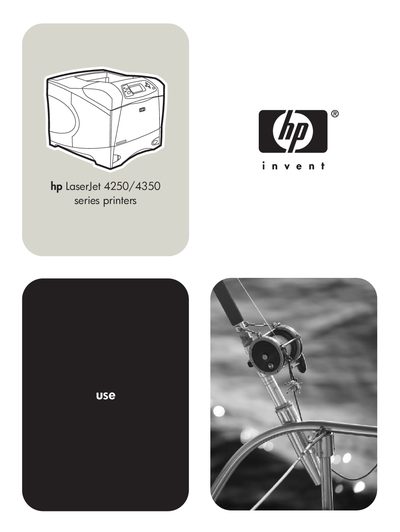
HP LaserJet 4250/4350 Series Printer User Guide
This guide provides detailed information on the HP LaserJet 4250 and 4350 series printers, including basic printer functions, configuration options, and available accessories. It explains how to install software, select print media, and use advanced features such as stapling, duplexing, and transparency printing.
The manual also contains sections on preventive maintenance, troubleshooting common problems, and managing supplies through the HP Toolbox and embedded web server. Appendices list part numbers, ordering information, and specifications for media and optional trays.
HP 4250/4350 series specifications
| HP LaserJet 4250 print speed | 43 ppm for A4-sized media; 45 ppm for letter-sized media |
|---|---|
| HP LaserJet 4350 print speed | 52 ppm for A4-sized media; 55 ppm for letter-sized media |
| Memory (HP LaserJet 4250) | 48 MB |
| Memory (HP LaserJet 4250n and 4250tn) | 64 MB |
| Memory (HP LaserJet 4250dtn, 4250dtnsl and 4350n) | 80 MB |
| Memory (HP LaserJet 4350dtn and 4350dtnsl) | 96 MB |
| Maximum expandable memory | 544 MB: 512 MB of DDR memory plus 32 MB on the formatter board |
| Supported printer personalities | PCL 6, PCL 5e, PDF, MIME, PostScript emulation |
| User interface | Graphic display on control panel; HP Embedded Web Server; HP Toolbox software |
| Storage features | Job storage; PIN printing (for printers that have a hard disk); fonts and forms |
Source: HP LaserJet 4250/4350 Series Software Technical Reference
All HP 4250/4350 series documents by type
Disassembly, diagnostics and part numbers, for repair.
Day-to-day operation, settings and troubleshooting. Start here if the product is already set up.
Questions answered in these manuals
What printer models are described in this technical reference?
It describes the HP LaserJet 4250/4350 printer models, including the 4250, 4250n, 4250tn, 4250dtn, 4250dtnsl, 4350n, 4350dtn, and 4350dtnsl.
From: HP LaserJet 4250/4350 Series Software Technical Reference
What print speeds are listed for the HP LaserJet 4250 and 4350 printers?
The HP LaserJet 4250 prints 43 ppm for A4 media and 45 ppm for letter media, while the HP LaserJet 4350 prints 52 ppm for A4 media and 55 ppm for letter media.
From: HP LaserJet 4250/4350 Series Software Technical Reference
How do I reset the maintenance‑kit counter?
The manual provides a step‑by‑step procedure in section 115 to reset the maintenance‑kit counter.
What should I check if the printer does not power on?
Verify the power‑cord connections, try a different outlet, ensure the power meets the printer specifications, and press the power button to see if the panel responds.
How can I order consumables for the HP LaserJet 4250/4350?
You can order supplies from HP’s regional websites, such as http://www.hp.com/sbso/product/supplies for the United States.
Where can I download the printer driver software?
Driver software and updates are available at http://www.hp.com/go/lj4250_software or http://www.hp.com/go/lj4350_software.