
Key facts
- Brand
- Philips
- Model
- DVDR520H
- Industry
- Industrial
- Documents
- 3
- Languages
- EN · ZH
- Last added
- 2012-05-03
Start here
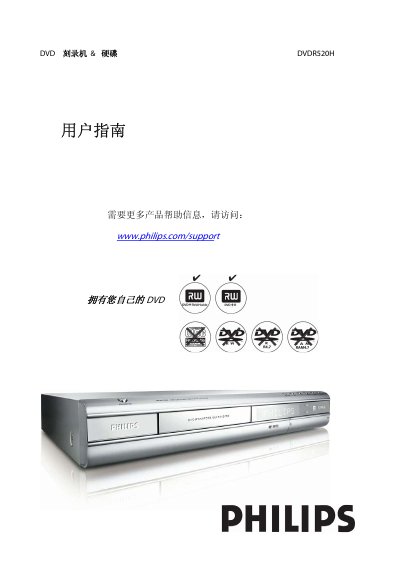
Philips DVDR520H DVD Recorder User Manual
This guide begins with important safety instructions and recommended installation steps, covering power connection, ventilation, handling of accessories, and precautions when cleaning or moving the unit. It also explains how to connect the recorder to a TV, antenna, or external audio devices.
The remainder of the manual details the remote‑control functions, front‑ and rear‑panel connectors, supported disc formats, recording modes, language and subtitle settings, and technical specifications such as power requirements, dimensions, and supported audio/video standards. This manual is written in Chinese.
Philips DVDR520H specifications
| Disc types supported (Read Only) | DVD‑R/RW, DVD+R/RW, CD‑R/RW |
|---|---|
| Maximum number of files recognizable | 9 999 files |
| Audio output | Analog 2‑channel, Digital coaxial/optical |
| Power supply | AC 200‑240 V, 50 Hz |
| Power consumption | Approx. 50 W |
| Operating temperature | +5 °C to +40 °C |
| Operating humidity | 5 % to 80 % RH |
| Dimensions (W×H×D) | 430 mm × 66 mm × 316 mm |
| Net weight | Approx. 4.8 kg |
All Philips DVDR520H documents by type
Day-to-day operation, settings and troubleshooting. Start here if the product is already set up.
Disassembly, diagnostics and part numbers, for repair.
Questions answered in these manuals
How many files can be stored on a disc?
Up to 9 999 files can be recognized on a disc.
What are the power requirements for the recorder?
The unit operates on AC 200‑240 V at 50 Hz and consumes about 50 W.
How do I connect the DVDR 520H to my TV?
Connect a TV signal cable from the unit’s ANTENNA IN terminal to the antenna socket, and another TV signal cable from the TV OUT terminal to the TV’s RF input; also use an AV cable for audio/video connections.
What file formats can be played on the DVDR 520H?
The device can play DVD‑R/RW, DVD+R/RW, CD‑R/RW, DVD‑Video, JPEG images and MP3 audio files.
How should I connect the DVD recorder to my TV?
Connect the VIDEO OUT connector on the recorder to the TV's VIDEO INPUT, and use the appropriate audio/video cables for sound.
What safety precautions are required before cleaning the unit?
Unplug the power cord, avoid using liquids or sprays, and clean with a damp cloth only.