
Key facts
- Brand
- Philips
- Model
- AX33XX
- Industry
- Appliances
- Documents
- 2
- Languages
- ZH · ES
- Last added
- 2012-03-27
Start here
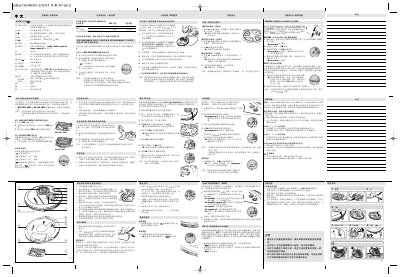
Philips AX33xx Laser Gramophone User Manual
This manual explains how to install batteries, connect power adapters, and operate the Philips laser gramophone. It covers basic controls, volume, bass boost, playback modes, track programming, and ESP (Electronic Skip Protection) features.
Additional sections describe environmental disposal, car‑installation using a voltage converter, and detailed troubleshooting steps for common issues such as no sound, disc errors, and button lock‑out. This manual is written in Chinese.
Philips AX33XX specifications
| Supported batteries | AAA (LR03, UM4) or AA (LR6, UM3) alkaline batteries |
|---|---|
| Battery runtime – AA alkaline | 15 h normal / 20 h with ESP |
| Battery runtime – AAA alkaline | 7 h normal / 9 h with ESP |
| Power adapter model | AY 3170, 4.5 V DC, 300 mA, centre‑positive |
| External power input | 4.5 V DC jack |
All Philips AX33XX documents by type
Day-to-day operation, settings and troubleshooting. Start here if the product is already set up.
Questions answered in these manuals
How do I replace the batteries?
Open the battery cover, insert two AAA or two AA batteries as shown on the cover, then close the cover.
How can I enable ESP (Electronic Skip Protection)?
Slide the switch to the ESP ON position; the ESP indicator will appear on the display.
Why is there no sound or the sound quality is poor?
The manual lists possible causes such as the pause mode being active, dirty or loose connections, low volume setting, strong magnetic fields, or using the device in a car with an improperly inserted cassette adapter.
From: PHILIPS ax33xx Manual
How do I activate the RESUME function?
Slide the OFF–RESUME–HOLD switch to the RESUME position during playback; the display will show “RESUME” and playback will continue from the last stopped point.
From: PHILIPS ax33xx Manual