
Key facts
- Brand
- Philips
- Model
- AZ102G
- Category
- Other
- Industry
- Appliances
- Documents
- 3
- Languages
- EN · ZH
- Last added
- 2012-03-27
Start here
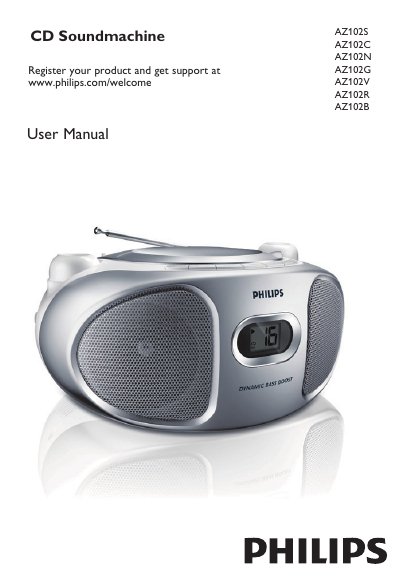
philips AZ102S AZ102C AZ102N AZ102G AZ102V AZ102R AZ102B User manual
This manual explains how to set up the AZ102 CD Soundmachine, including connecting the AC power cord, inserting six R‑14/UM‑2/C‑cell batteries, and registering the product online. It describes each control button (VOLUME, SHUFFLE, REPEAT, PROG, LIFT TO OPEN, TUNING) and how to select the source (CD, FM, MW, OFF).
The guide also covers programming up to 20 tracks, using shuffle and repeat modes, and provides safety and maintenance advice such as cleaning the CD lens, handling batteries, and avoiding exposure to moisture or high voltage. A troubleshooting section lists common problems and their remedies, and a specifications table gives power consumption, dimensions, and weight.
Philips AZ102G specifications
| Power consumption | ≤ 15 W |
|---|---|
| Dimensions | 290 mm x 143 mm x 240 mm |
| Weight | 1.62 kg |
Source: philips AZ102S AZ102C AZ102N AZ102G AZ102V AZ102R AZ102B User manual
All Philips AZ102G documents by type
Day-to-day operation, settings and troubleshooting. Start here if the product is already set up.
Questions answered in these manuals
How do I insert the batteries?
Open the battery door and insert six R‑14, UM‑2 or C‑cell batteries with the correct polarity, then replace the battery door.
From: philips AZ102S AZ102C AZ102N AZ102G AZ102V AZ102R AZ102B User manual
How do I insert the batteries?
Open the battery door and insert six 1.5 V R‑14, UM‑2 or C‑cell batteries with the correct polarity, then close the door.
From: PHILIPS AZ102S AZ102C AZ102N AZ102G AZ102V AZ102R AZ102B Application Note
How can I switch to line‑in mode?
Connect an external audio source to the LINE‑IN inlet; the unit automatically switches to line‑in mode.
From: PHILIPS AZ102S AZ102C AZ102N AZ102G AZ102V AZ102R AZ102B Application Note
How do I adjust the volume?
Press the VOLUME button to increase or decrease the sound level.
From: PHILIPS AZ102S AZ102C AZ102N AZ102G AZ102V AZ102R AZ102B owner's manual
How can I program a custom track sequence?
Press the PROG key while stopped, then use the ∞ or § keys to select tracks and press PROG again to store each track.
From: PHILIPS AZ102S AZ102C AZ102N AZ102G AZ102V AZ102R AZ102B owner's manual