
Key facts
- Brand
- Philips
- Model
- AX53XX
- Industry
- Electronics
- Documents
- 2
- Languages
- ZH · ES
- Last added
- 2012-03-27
Start here
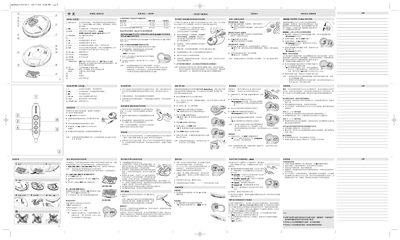
Philips AX53xx Laser CD Player User Manual
The Philips AX53xx is a portable laser CD player designed for in‑car and home use. It features a 3.5 mm headphone jack, line‑out, multiple playback modes, and an electronic skip‑protection (ESP) function.
The manual explains how to install batteries or an external 4.5 V DC power adapter, use the control keys, program tracks, and resolve common issues. Safety and environmental disposal guidelines are also included. This manual is written in Chinese.
Philips AX53XX specifications
| Power input | 4.5 V DC external power socket |
|---|---|
| Headphone jack | 3.5 mm stereo jack |
| Battery life – AA alkaline | 24–42 hours |
| Battery life – AAA alkaline | 10–16 hours |
| Battery life – ECO‑PLUS NiMH | 8.5–13 hours |
| Maximum charging time | 7 hours |
All Philips AX53XX documents by type
Day-to-day operation, settings and troubleshooting. Start here if the product is already set up.
Questions answered in these manuals
How do I enable the ESP (Electronic Skip Protection) mode?
Slide the ESP switch to the ON position; the display will show the ESP indicator.
How can I clear a programmed track list?
Press the STOP button while playback is stopped; the display will show “CLR” and the program is cleared.
How can I lock all buttons using the HOLD function?
Slide the OFF‑RESUME‑HOLD switch to the HOLD position; all buttons on the player (and optionally the remote) will be locked until the switch is returned to OFF.