
Key facts
- Brand
- Philips
- Model
- ACT19
- Industry
- Appliances
- Documents
- 2
- Languages
- EN
- Last added
- 2012-03-26
Start here
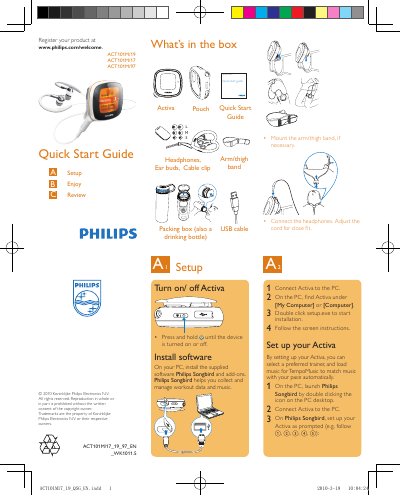
Philips ACT101M Quick Start Guide
The guide begins with a list of items included in the box and instructions for mounting the arm/thigh band, connecting headphones, and adjusting the cord. It then explains how to turn the ACT101M on or off and how to install the Philips Songbird software on a PC.
After software installation, the guide walks the user through setting up the device, selecting a trainer, loading music, and recording workouts. It details how to start, pause, and stop a workout, view calories, time, and distance, and transfer workout data to a PC for further analysis.
Philips ACT19 specifications
| Battery playtime (workout mode) | Up to 20 hours |
|---|---|
| Rechargeable battery | Yes, via USB |
| USB interface | High speed USB 2.0 |
| Supported audio formats | MP3, WAV, WMA, AAC |
| Music memory capacity | Up to 50 hours (128 kbps MP3) |
| Screen size | 1.44 inch diagonal |
| Screen resolution | 128 × 128 pixels, 65k colors |
All Philips ACT19 documents by type
Day-to-day operation, settings and troubleshooting. Start here if the product is already set up.
The shortest path to a working setup, usually only a few pages.
Questions answered in these manuals
How long does the battery last in workout mode?
The internal battery provides up to 20 hours of playtime in workout mode.
Which audio formats are supported for playback?
The device supports MP3, WAV, WMA and AAC audio files.
How do I turn the ACT101M on or off?
Press and hold the Activa button until the device turns on or off.
How is workout data transferred to a PC?
Connect the ACT101M to the PC, launch Philips Songbird, and the workout data is automatically transferred.