
Key facts
- Brand
- Analog Devices
- Model
- ADuC8xx
- Category
- microcontrollers
- Documents
- 2
- Languages
- EN
- Last added
- 2012-08-03
Start here
Analog Devices ADuC8xx Evaluation Kit User Guide UG-041
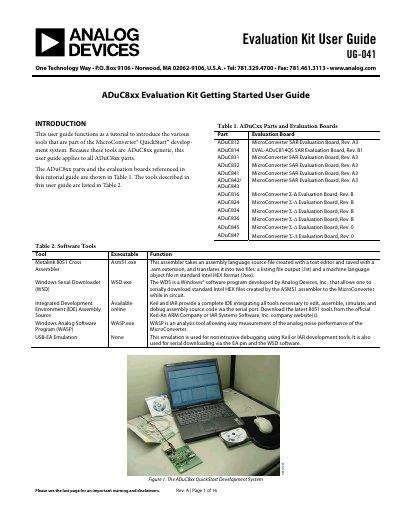
The document serves as a tutorial for the Analog Devices ADuC8xx Evaluation Kit, part of the MicroConverter QuickStart development system. It applies to various ADuC8xx parts and their associated evaluation boards listed in Table 1.
The guide details the installation of software tools from a CD-ROM and explains how to use specific utilities including the Metalink 8051 Cross Assembler for creating Intel HEX files, the Windows Serial Downloader (WSD) for programming devices via serial port, and the USB-EA Emulator for debugging.
Analog Devices ADuC8xx specifications
| Operating Frequency | up to 44 MHz |
|---|---|
| ADC Resolution | 12-bit |
| ADC Sampling Rate | 1 MSPS |
| DAC Resolution | 12-bit |
| Flash Memory | up to 126 kB |
| SRAM | 8 kB |
| Temperature Range | -40°C to +125°C |
| Power Consumption | 1 mA/MHz |
| Package Size (Smallest) | 6 mm × 6 mm |
| ADC Resolution (ADuC703x) | 16-bit |
All Analog Devices ADuC8xx documents by type
Day-to-day operation, settings and troubleshooting. Start here if the product is already set up.
Questions answered in these manuals
What microcontroller cores are supported?
The devices support the ARM7TDMI core and the 8051 core.
What is the maximum operating frequency?
The devices operate up to 44 MHz.
What file extension must a source code have to be assembled by the Metalink 8051 Cross Assembler?
The assembler requires the assembly language source file to be saved with an .asm extension.
From: Analog Devices ADuC8xx Evaluation Kit User Guide UG-041
Which PC serial ports can be used to download Intel HEX files to the MicroConverter via the Windows Serial Downloader?
The standard Intel HEX file is downloaded into on-chip Flash/EE program memory via a selected PC serial port from COM1 to COM32.
From: Analog Devices ADuC8xx Evaluation Kit User Guide UG-041