
Key facts
- Brand
- Philips
- Model
- SA011108S
- Category
- MP3 Player
- Industry
- Electronics
- Documents
- 3
- Languages
- EN · ZH
- Last added
- 2012-03-27
Start here
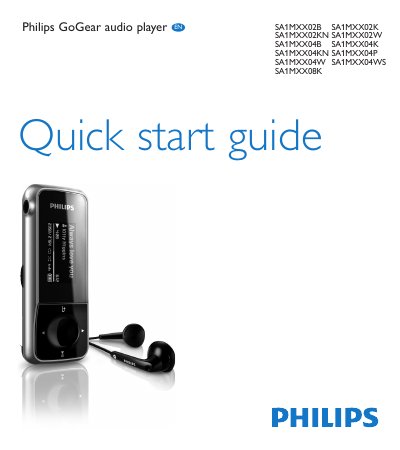
PHILIPS SA011102S SA011104S SA011108S audio player user guide ( English )
The Philips GoGear Mix is a portable digital audio player with built-in FM radio, voice recording, and USB charging. This guide provides the essential steps to get the device up and running, including how to connect it to a computer for charging and firmware updates.
Key functions covered include navigating the main menu to play music, tuning and using FM radio, creating voice or FM recordings, and installing the Philips Device Manager software for firmware updates. Recycling and product registration information are also provided.
Philips SA011108S specifications
| Battery | Built‑in rechargeable battery |
|---|---|
| Charging method | USB port of a computer |
| Lock switch | Prevents accidental operation |
Source: Philips GoGear audio player SA011102S SA011104S SA011108S user guide ( English )
All Philips SA011108S documents by type
Day-to-day operation, settings and troubleshooting. Start here if the product is already set up.
The shortest path to a working setup, usually only a few pages.
Questions answered in these manuals
How can I record a voice memo on the GoGear Mix?
From the main menu select "Start voice recording", press the play/pause button to record, press O to stop, then press the play/pause button again to save the file.
From: PHILIPS SA011102S SA011104S SA011108S audio player user guide ( English )
How do I turn the GoGear SA011 on and off?
Press the power button until the display shows the Philips logo to turn on, and press and hold until the display shows ‘Bye’ to turn off.
From: Philips GoGear audio player SA011102S SA011104S SA011108S user guide ( English )
How do I charge the GoGear SA011?
Remove the USB cap, connect the USB plug to a spare USB port on a computer, and the player will begin charging.
From: Philips GoGear audio player SA011102S SA011104S SA011108S user guide ( English )
How should I store the Philips audio player?
Store it in temperatures between –20 °C and 45 °C, keep it away from direct sunlight, heat sources, and moisture.
From: Philips SA011102S SA011104S SA011108S Audio Player User Manual
What is the maximum usable storage capacity of the player?
The player can store up to about 21 MB of audio files, depending on the encoding and file length.
From: Philips SA011102S SA011104S SA011108S Audio Player User Manual