
Key facts
- Brand
- Philips
- Model
- MCD263
- Category
- Hi-Fi
- Industry
- Appliances
- Documents
- 4
- Languages
- EN · ZH
- Last added
- 2012-03-27
Start here
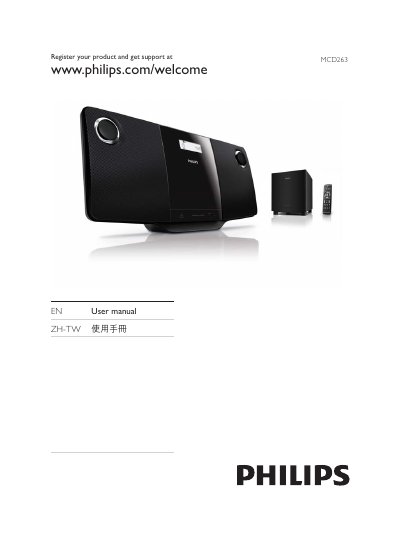
Philips MCD263 DVD Micro Theater User Manual
This manual introduces the Philips MCD263 DVD Micro Theater, describing the contents of the box, the main unit, subwoofer, remote control and required accessories. It guides you through connecting the unit to a TV, subwoofer and power source, as well as registering the product for support.
The guide covers basic operation such as playing DVDs, USB media, adjusting audio and video settings, using FM radio, and troubleshooting common issues. It also includes safety information, wall‑mounting instructions, and specifications for power, supported disc formats and region codes. This manual is written in Chinese.
Philips MCD263 specifications
| HDMI video resolution | 1080p |
|---|---|
| Audio output power | 60 W RMS (1200 W PMPO) |
| Main speaker size | 3 inch bass speaker |
| Weight (including packaging) | 8.8 kg |
| USB playback capability | Photo and MP3/WMA music playback |
| FM tuner | Stereo FM band |
All Philips MCD263 documents by type
Day-to-day operation, settings and troubleshooting. Start here if the product is already set up.
Questions answered in these manuals
What voltage range does the MCD263 support?
The MCD263 operates on an input voltage of 100 V to 240 V.
Which media formats can be played on the MCD263?
It can play DVD, MP3, WMA and CD discs.
How can I register my Philips MCD263 for support?
Visit the Philips registration page at www.philips.com/welcome and follow the on‑screen instructions.
How do I mount the DVD Micro Theater to a wall safely?
Use the supplied wall‑mounting instruction sheet, the provided screws and dowels, and have qualified personnel perform the installation.
How can I enhance the bass on the MCD263?
Press the Dynamic Bass Enhancement button to boost low‑frequency output across the entire volume range.