
Key facts
- Brand
- Philips
- Model
- MCD196
- Category
- Hi-Fi
- Industry
- Appliances
- Documents
- 5
- Languages
- ZH · EN
- Last added
- 2012-03-27
Start here
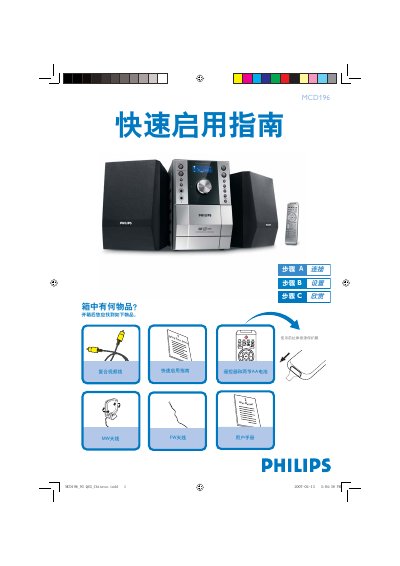
Philips MCD196 Audio System Quick Start Guide
The guide begins with a list of items that should be found in the box, including the Quick Start Guide, user manual, remote control with two AA batteries, FW and MW antennas, and a composite video cable. It then explains how to connect the speaker cables, attach the composite video cable to a TV, and link the system to power and audio inputs.
Subsequent sections cover basic operation: setting the clock using the DISPLAY/CLOCK SET button, playing a disc by opening the disc compartment and pressing PLAY, and programming radio stations by holding the PROG/ANGLE button and selecting presets. For detailed options, the guide refers to the full user manual. This manual is written in Chinese.
Philips MCD196 specifications
| Amplifier Output Power | 2 x 5 W RMS |
|---|---|
| Signal‑to‑Noise Ratio | ≥ 60 dBA |
| Frequency Response | 63 – 16000 Hz ± 3 dB |
| Speaker Impedance | 4 Ω |
| AUX Input Sensitivity | 0.5 V (max 2 V) |
| DVD Laser Type | Semiconductor |
| Disc Diameter | 12 cm / 8 cm |
| Video Decoding | MPEG‑2 / MPEG‑1 |
All Philips MCD196 documents by type
Day-to-day operation, settings and troubleshooting. Start here if the product is already set up.
The shortest path to a working setup, usually only a few pages.
Questions answered in these manuals
How do I set the voltage selection switch for 110 V‑127 V regions?
Set the voltage selection switch on the rear panel to the 110 V‑127 V position before turning the unit on.
How can I disable or change the parental‑control level?
Use the system menu to cancel the parental‑control level or adjust it to a different rating.
What disc formats can the MCD196 play?
It can play DVD, VCD, SVCD, DVD+RW, CD, CD‑R/W, JPEG image discs, WMA files, and supported MP3‑CD formats.
How do I set the clock on the MCD196?
Select the clock setup option and follow the steps shown under “步骤 1:设定时钟”.
What should I do if the DVD player cover is open?
Do not look at the laser beam, as both visible and invisible laser radiation are present.