
Key facts
Start here
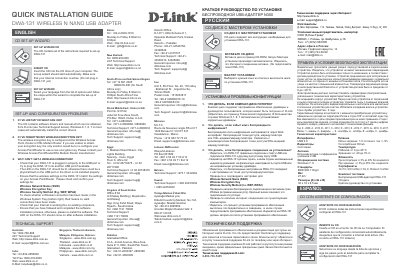
D-Link DWA-131 Wireless N Nano USB Adapter Quick Installation Guide
This document serves as a Quick Installation Guide for the D-Link DWA-131 Wireless N Nano USB Adapter. It provides instructions on using the setup wizard CD and outlines steps for common configuration problems, such as lost drivers or forgotten encryption keys. The guide is available in multiple languages, including Russian, English, and Spanish. This manual is written in Russian.
Read onlineD-Link DWA-131 specifications
| Product type | Wireless N Nano USB Adapter |
|---|---|
| Supported operating systems | Microsoft Windows XP(64/32 bit)/2000/Vista |
| LED indicator | LED comes on after software installation |
Source: D-Link DWA-131 Wireless N Nano USB Adapter Quick Installation Guide
All D-Link DWA-131 documents by type
The shortest path to a working setup, usually only a few pages.
Day-to-day operation, settings and troubleshooting. Start here if the product is already set up.
Questions answered in these manuals
What should I do if I have lost my CD?
The CD contains software drivers and manual which can be obtained from D-Link. Windows 8.1, 8, 7 in most cases will automatically install the correct drivers.
From: D-Link DWA-131 Wireless N Nano USB Adapter Quick Installation Guide
What if I have forgotten my wireless encryption key?
The wireless encryption key is configured at the Wireless Access Point, Router or DSL Modem Router. If you are unable to obtain your encryption key, the only solution would be to re-configure your Access Point/Router to use a new encryption key.
From: D-Link DWA-131 Wireless N Nano USB Adapter Quick Installation Guide
What should I do if I have lost my installation CD?
The software drivers and manual can be obtained from D-Link, or Windows 8.1, 8, and 7 will usually install the correct drivers automatically.
From: D-Link DWA-131 Wireless N Nano USB Adapter Installation Guide
Where is the wireless encryption key configured?
The wireless encryption key is configured at the Wireless Access Point, Router, or DSL Modem Router.
From: D-Link DWA-131 Wireless N Nano USB Adapter Installation Guide
IF I’VE LOST MY CD WHAT CAN I DO?
The CD contains software drivers and manual which can be obtained from D-Link (see Technical Support below). Windows 8.1, 8, 7 in most cases will automatically install the correct drivers.
From: D-Link DWA-131 Wireless N Nano USB Adapter Setup and Configuration Guide
IF I’VE FORGOTTEN MY WIRELESS ENCRYPTION KEY?
The wireless encryption key is configured at the Wireless Access Point, Router or DSL Modem Router. If you are unable to obtain your encryption key, the only solution would be to re-configure your Access Point/Router to use a new encryption key.
From: D-Link DWA-131 Wireless N Nano USB Adapter Setup and Configuration Guide