
Key facts
Start here
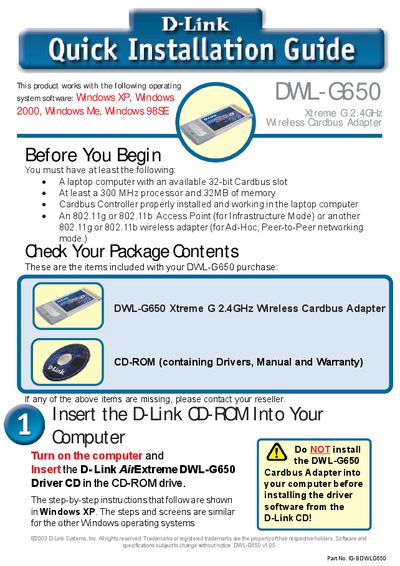
D-Link DW-G650 quick installation Service Manual
This guide walks you through installing the D-Link DWL‑G650 Xtreme G 2.4 GHz Wireless Cardbus Adapter. It lists the required hardware (a laptop with a 32‑bit Cardbus slot, at least a 300 MHz processor and 32 MB RAM) and the items included in the package (the adapter and a CD‑ROM with drivers, manual and warranty).\n\nThe document details the installation process, from inserting the adapter and running the driver CD to configuring the D‑Link AirPlus Xtreme G utility, setting up WPA if needed, and troubleshooting the Found New Hardware wizard. An appendix explains WPA security and provides network‑configuration tips, while the final pages give technical‑support contact information.
Read onlineD-Link DWL-G650 specifications
| Interface | Cardbus |
|---|---|
| Frequency | 2.4 GHz |
| Maximum data rate | 54 Mbps |
| Backward‑compatible data rate | 11 Mbps |
| LED indicators | Power (steady), Activity (blinking) |
Source: D-Link DWL-G650 User Manual
All D-Link DWL-G650 documents by type
Day-to-day operation, settings and troubleshooting. Start here if the product is already set up.
The shortest path to a working setup, usually only a few pages.
Questions answered in these manuals
What is the maximum wireless data rate of the DWL‑G650?
The adapter supports up to 54 Mbps when operating with 802.11g devices.
What do the LEDs on the adapter indicate?
A steady Power LED shows the adapter is receiving power, while a blinking Activity LED shows network traffic.
What items are included in the DWL‑G650 package?
The package contains the DWL‑G650 adapter and a CD‑ROM that includes drivers, the manual and the warranty.
What should I do if the CD autorun does not start?
Run the installer manually, for example by typing “D:\WPA\ageis!5.exe” for Windows XP/2000 or “D:\WPA\ageis!2.exe” for Windows ME/98.