
Key facts
- Brand
- D-Link
- Model
- DIS-5024T
- Category
- Network Switches
- Industry
- Computers
- Documents
- 2
- Languages
- EN
- Last added
- 2012-03-13
Start here
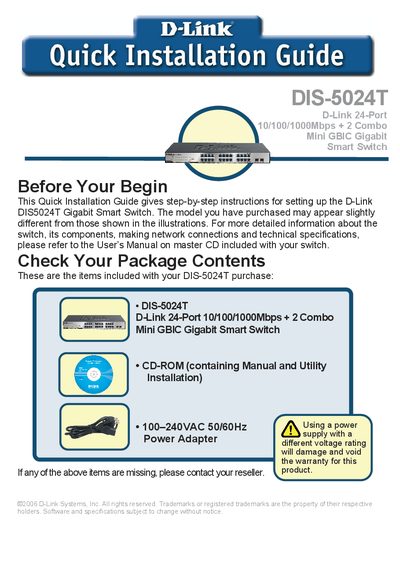
D-Link DIS-5024T Switch Quick Installation Guide
This Quick Installation Guide provides step‑by‑step instructions for setting up the D-Link DIS‑5024T Gigabit Smart Switch. It lists the items included in the package, recommended installation environment, rack‑mounting procedure, and power requirements.
The guide also explains how to connect network cables, interpret LED indicators, install the SmartConsole utility, and configure the switch via its web GUI or utility. Default IP settings, login credentials, and menu navigation are described to help users get the switch operational quickly.
D-Link DIS-5024T specifications
| Number of Ethernet ports | 24 |
|---|---|
| Supported Ethernet speeds | 10/100/1000 Mbps |
| Mini GBIC ports | 2 |
Source: D-Link DIS-5024T User Manual
All D-Link DIS-5024T documents by type
Day-to-day operation, settings and troubleshooting. Start here if the product is already set up.
The shortest path to a working setup, usually only a few pages.
Questions answered in these manuals
How many Ethernet ports does the DIS-5024T have?
The DIS-5024T provides 24 Ethernet ports.
What speeds are supported by the switch?
It supports 10 Mbps, 100 Mbps, and 1000 Mbps (Gigabit) Ethernet.
What power voltage does the DIS‑5024T accept?
The switch can be used with an AC power supply of 100‑240 VAC at 50‑60 Hz.
How many Ethernet ports are on the DIS‑5024T?
It has 24 Gigabit twisted‑pair Ethernet ports.