
Key facts
Start here
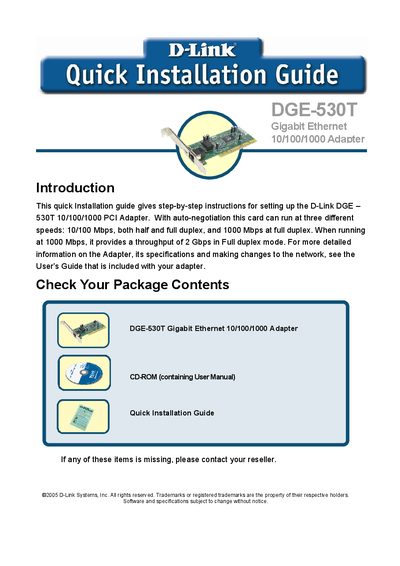
D-LINK DGE-503T Manual
This guide provides step‑by‑step instructions for installing the D-Link DGE‑530T Gigabit Ethernet PCI adapter, including checking the package contents, hardware installation, and driver setup.
It also explains the required network cable, points to the full User's Guide for detailed specifications, and lists contact information for D-Link technical support in the United States and Canada.
D-Link DGE-530T specifications
| Interface speed | Full‑duplex Gigabit Ethernet (2 Gbps aggregate) |
|---|---|
| VLAN support | 802.1Q VLAN tagging |
| QoS support | 802.1p priority tags |
| Jumbo frame support | Up to 9 KB frames |
| Cable diagnostic feature | Enabled |
| Wake‑on‑LAN | Supported |
| Connector | One built‑in RJ‑45 |
Source: D-Link DGE-530T User Manual
All D-Link DGE-530T documents by type
Day-to-day operation, settings and troubleshooting. Start here if the product is already set up.
The shortest path to a working setup, usually only a few pages.
Questions answered in these manuals
Does the DGE-530T support Wake‑on‑LAN?
Yes, the adapter includes Wake‑on‑LAN functionality that can wake the system from sleep over the network.
Can the DGE-530T use jumbo frames?
Yes, the adapter supports jumbo frames up to 9 KB, provided the network switch also supports jumbo frames.
What are the minimum system requirements for the DGE-530T?
You need an open 32‑bit PCI bus master slot (33 MHz), at least 32 MB of RAM, a 150 MHz processor or faster, the latest BIOS, and appropriate Category 5/5e cabling.
From: D-Link DGE-530T 32-bit Gigabit Network Adapter User Manual
Does the DGE-530T support Wake‑on‑LAN?
Yes, the adapter includes a Wake‑on‑LAN function that can wake the system from sleep over the network.
From: D-Link DGE-530T 32-bit Gigabit Network Adapter User Manual
What is the hardware warranty period for the DGE-530T?
The hardware (excluding power supplies and fans) is covered for two years, while power supplies and fans have a one‑year warranty.
What network speeds does the DGE-530T support?
It supports 10 Mbps, 100 Mbps, and 1000 Mbps, with full‑duplex operation at all three speeds and auto‑negotiation to the highest available speed.