
Key facts
Start here
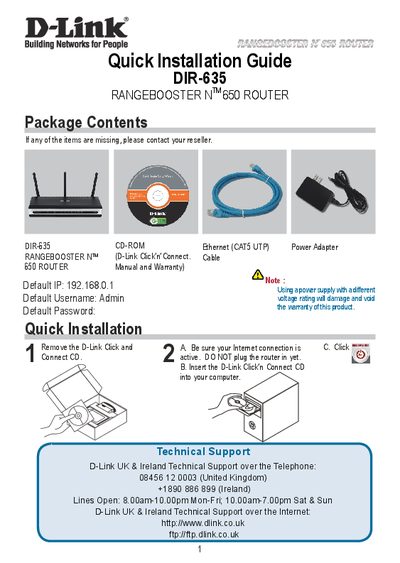
D-Link DIR-635 Quick Installation Guide
This guide walks you through the quick installation of the D-Link DIR-635 router, listing the package contents (router, CD‑ROM, Ethernet cable, power adapter) and the default network settings – IP address 192.168.0.1, username Admin, and a blank password. It explains the step‑by‑step process of using the D‑Link Click’n’Connect CD, connecting the router, and activating the internet connection.
The document also gives important WAN configuration advice, especially for users with limited or pay‑as‑you‑go broadband plans. It recommends setting the "Maximum idle timer" to 300 seconds (5 minutes) to automatically drop idle connections and lower usage costs. Technical support contact details for various countries and multilingual notes are included throughout the guide.
D-Link DIR-635 specifications
| Default IP address | 192.168.0.1 |
|---|---|
| Default username | Admin |
| Default password | (blank) |
| Maximum idle timer (default) | 0 (disabled) |
All D-Link DIR-635 documents by type
Day-to-day operation, settings and troubleshooting. Start here if the product is already set up.
The shortest path to a working setup, usually only a few pages.
Questions answered in these manuals
What is the default IP address of the DIR-635 router?
The default IP address is 192.168.0.1.
How can I reduce internet usage costs on a limited broadband plan?
Set the Maximum idle timer to 300 seconds (5 minutes) so the router drops the connection after inactivity.
How many LAN ports does the DIR-635 have?
It provides four LAN ports, labeled 1‑4.
What is the wireless frequency range of the DIR-635?
The device operates in the 2.4 GHz band, from 2.4 GHz to 2.483 GHz.
How do I reset the DIR‑635 to factory defaults?
Use the DIR‑635 web configuration page to perform a factory reset as described in Appendix (1).
From: D-Link DIR-635 Wireless Broadband Router Quick Installation Guide
How can I update the router’s firmware?
Follow the firmware update instructions provided in Appendix (2) of the guide.
From: D-Link DIR-635 Wireless Broadband Router Quick Installation Guide