
Key facts
- Brand
- D-Link
- Model
- DAP-1325
- Documents
- 2
- Languages
- EN
- Last added
- 2026-10-14
Start here
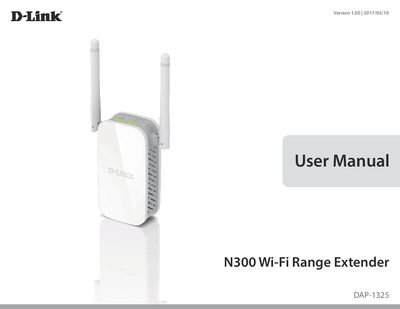
D-Link DAP-1325 N300 Wi-Fi Range Extender User Manual
The D-Link DAP-1325 N300 Wi-Fi Range Extender is designed to extend an existing wireless network over a Wireless N connection of up to 300 Mbps. It connects with existing networking equipment to enhance the capabilities of home or office networks, allowing users to bring Wi-Fi to areas with poor or no reception. The device features Smart Signal LED technology to help users find the optimal location for the extender.
Read onlineD-Link DAP-1325 specifications
| Wireless Standard | IEEE 802.11n, IEEE 802.11g, IEEE 802.11u |
|---|---|
| Wireless Frequency Range | 2.4 GHz to 2.4835 GHz |
| Device Interfaces | 802.11n/g Wireless LAN, 10/100 Fast Ethernet Port |
| Security | Wi-Fi Protected Access (WPA/WPA2), Wi-Fi Protected Setup (WPS) |
| Operating Temperature | 0 to 40 °C (32 to 104 °F) |
| Maximum Power Consumption | 5.5 Watts |
| Dimensions | 97.9 x 50.7 x 48.7 mm (3.85 x 2.00 x 1.91 inches) |
| Weight | 97 grams (3.42 ounces) |
Source: D-Link DAP-1325 N300 Wi-Fi Range Extender User Manual
All D-Link DAP-1325 documents by type
Day-to-day operation, settings and troubleshooting. Start here if the product is already set up.
Questions answered in these manuals
What is the maximum wireless signal rate of the DAP-1325?
The DAP-1325 provides a wireless connection at up to 300 Mbps with other 802.11n wireless devices.
How do I restore the factory default settings on the DAP-1325?
Use an unfolded paperclip to press and hold the reset button on the bottom of the device for 10 seconds.
How do I set up the DAP-1325 using WPS?
Press the WPS button on the extender and use the WPS-PBC method on your router to connect the devices.
What is the maximum wireless speed supported?
Up to 300 Mbps, based on IEEE 802.11n standards.