
Key facts
- Brand
- D-Link
- Model
- DWR-933
- Category
- Router
- Industry
- Electronics
- Documents
- 2
- Languages
- ZH · EN
- Last added
- 2026-11-14
Start here
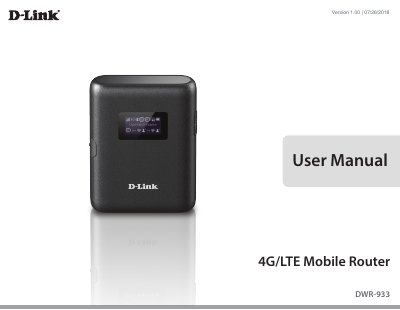
D-Link DWR-933 4G/LTE Mobile Router User Manual
The D-Link DWR-933 User Manual describes the DWR-933 4G/LTE Mobile Router. It covers the product overview, package contents, system requirements, hardware features, and the LCD display, including Wi-Fi network names, keys, and firmware version information.
The manual also explains installation, initial connection by USB or Wi-Fi, the web-based configuration utility, network and Internet settings, Wi-Fi and firewall settings, system administration, SMS/USSD, connecting from Windows, troubleshooting, networking basics, and technical specifications.
D-Link DWR-933 specifications
| Dimensions (L x W x H) | 98 x 71 x 18.8 mm (3.86 x 2.8 x 0.74 in) |
|---|---|
| Weight | 120 g (4.23 oz) |
| Cellular Access | LTE up to 300 Mbps Down/50 Mbps Up |
| Battery | 3000 mAh rechargeable Li-Ion |
| Wireless Encryption | WPA & WPA2 (Wi-Fi Protected Access) |
| Antenna | 1x Internal Cellular Antenna 1x2 MIMO (UL/DL) |
| SIM/UICC Slot | Standard Micro-SIM/UICC card interface |
| Operating Temperature | 0 to 40 ˚C (32 to 104 ˚F) |
All D-Link DWR-933 documents by type
Mounting, wiring and first power-up. Read it before the hardware goes in.
Day-to-day operation, settings and troubleshooting. Start here if the product is already set up.
Questions answered in these manuals
What is the default username and password for the DWR-933?
The default username is admin, and the password is admin.
From: D-Link DWR-933 4G LTE Mobile Router Quick Installation Guide
What can I do if I forgot my SSID or password?
Press the power button to cycle through the screens until the wireless network name (SSID) and password (KEY) appear, or perform a factory reset.
From: D-Link DWR-933 4G LTE Mobile Router Quick Installation Guide
What is the default Wi-Fi network name of the DWR-933?
By default, the Wi-Fi network name is in the format dlink_DWR-933_xxxxxx, where xxxxxx represents the last four characters of the router's MAC address.
How do I reset the DWR-933?
Using a paper clip, press and hold the Reset button for 5 seconds to reboot the unit.