
Key facts
Start here
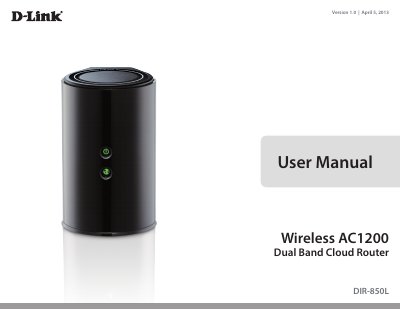
D-Link DIR-850L Wireless AC1200 Dual Band Cloud Router User Manual
The D-Link DIR-850L is a dual-band cloud router designed to provide high-speed 802.11ac wireless connectivity up to 1200Mbps for HD video streaming and multiple devices. It features mydlink Cloud Services for remote network monitoring on mobile devices and SharePort Mobile for accessing media files from connected USB drives.
Read onlineD-Link DIR-850L specifications
| Wireless Bands | 2.4 GHz and 5 GHz |
|---|---|
| Gigabit LAN Ports | Yes |
| Gigabit WAN Port | Yes |
| USB 2.0 Port | Yes |
| Reset Button Location | Bottom of router |
All D-Link DIR-850L documents by type
Day-to-day operation, settings and troubleshooting. Start here if the product is already set up.
Questions answered in these manuals
How do I access the router’s web interface for initial setup?
Open a web browser, enter http://192.168.0.1 in the address bar, and press Enter; no administrator password is required for the first login.
How can I reset the DIR-850L to factory defaults?
Ensure the router is powered on, then press and hold the reset button for about 10 seconds until the power LED changes from orange to green; the router will restore default settings.
What connection type should be used to upgrade the firmware?
You must use an Ethernet cable to connect your computer to the router; do not use a wireless connection.
What happens if the router loses power during the update?
Users must not power off the device while it is updating, as the process takes a while and involves a reboot.
What are the system requirements for configuring this router?
You need a computer with Windows, Macintosh, or Linux OS, an Ethernet adapter, and a supported browser like Internet Explorer 7+, Firefox, Safari 4+, or Chrome.
From: D-Link DIR-850L Wireless AC1200 Dual Band Cloud Router User Manual
How can I access my media files from a connected USB drive?
You can use the SharePort Mobile App on your iPhone, iPad, or Android device to wirelessly access media stored on any connected USB drive.
From: D-Link DIR-850L Wireless AC1200 Dual Band Cloud Router User Manual