
Key facts
Start here
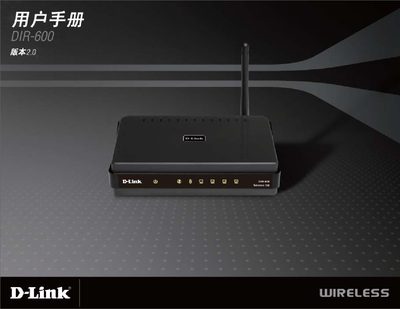
D-Link DIR-600 User Manual
This manual covers the basic installation steps for the D-Link DIR-600, including connecting the LAN ports, powering the device (5V = 1.2A), and using the reset button to restore factory defaults. It also explains the LED indicators such as the Internet and WLAN LEDs that show connection status.
The guide details wireless configuration options, supporting 150 Mbps Wi‑Fi, WPA‑PSK, WPA2‑PSK, and WPA/WPA2 (RADIUS) security modes. Compatibility with Windows®, Macintosh®, and Linux operating systems is described, along with browser recommendations for the web‑based setup interface.
D-Link DIR-600 specifications
| Wireless Standard | IEEE 802.11g/b, compatible with 802.11n devices |
|---|---|
| Frequency Range | 2.4 GHz to 2.4835 GHz |
| Antenna | Detachable dipole antenna (reverse SMA plug) |
| Power Input | 5V DC/1A through external power adapter |
| Dimensions (L×W×H) | 113.2 x 147.5 x 31.5 mm |
| Weight | 246 grams |
| Operating Temperature | 8 to 40 °C (32 to 104 °F) |
| Security Encryption | WEP 64/128‑bit, WPA (TKIP), WPA2 (AES) |
| Ethernet Switch | Integrated 4‑part 10/100BASE‑TX Ethernet switch |
Source: D-Link DIR-600 Wireless N 150 Home Router User Manual
All D-Link DIR-600 documents by type
Day-to-day operation, settings and troubleshooting. Start here if the product is already set up.
Questions answered in these manuals
How do I set up the DIR‑600 router?
Use D‑Link’s Setup Wizard, which guides you through installing the hardware, configuring ISP settings, and connecting devices.
How many Ethernet ports does the router have?
It includes an integrated 4‑part 10/100BASE‑TX Ethernet switch for LAN connections and a separate WAN port.
How do I log into the DIR‑600 router?
Enter the username admin with a blank password on the login screen, then type the characters shown in the picture.
From: D-Link DIR-600 Firmware Language Pack Upgrade Instructions
How can I upgrade the language pack on the router?
Open the Maintenance menu, choose Firmware Update, click the Browse button to select the language‑pack file, then click Upgrade and wait for the process to finish.
From: D-Link DIR-600 Firmware Language Pack Upgrade Instructions
What security methods are supported for Wi‑Fi?
The DIR‑600 supports WPA‑PSK, WPA2‑PSK, and WPA/WPA2 (RADIUS) encryption.
What is included in the package?
The package includes the D-Link DIR-600 wireless router, a power adapter, and an Ethernet cable.