
Key facts
- Brand
- D-Link
- Model
- DGS-1210
- Category
- Network Switches
- Documents
- 4
- Languages
- EN
- Last added
- 2026-10-14
Start here
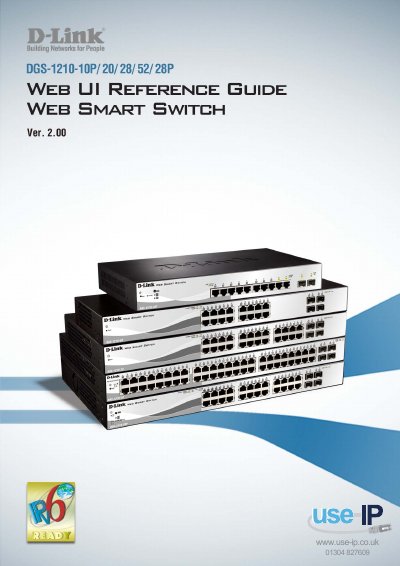
D-Link DGS-1210 Series Web Smart Switch User Manual
This guide provides instructions for installing the D-Link Gigabit Web Smart Switch DGS-1210-10P/20/28/28P/52 and for using the SmartConsole Utility and Web-based Management. It is divided into hardware installation, getting started, SmartConsole Utility, and configuration sections, with appendices on Ethernet technology, technical specifications, and rack mount instructions.
The text describes the DGS-1210 series as Web Smart Ethernet switches with 16, 24, or 48 10/100/1000Mbps ports plus 4 SFP ports. It lists PoE models with 8 or 24 10/100/1000Mbps PoE ports plus 2 or 4 SFP ports, D-Link Green Technology, Layer 2 features, VLAN, QoS, network security, and management options that include SmartConsole, Web-based management, and TELNET/CLI.
D-Link DGS-1210 specifications
| Default IP Address | 10.90.90.90 |
|---|---|
| Default Subnet Mask | 255.0.0.0 |
| Default Login Password | admin |
Source: D-Link DGS-1210/DGS-1500 Series Switch Configuration Example for Q-SYS Platform
All D-Link DGS-1210 documents by type
Day-to-day operation, settings and troubleshooting. Start here if the product is already set up.
Mounting, wiring and first power-up. Read it before the hardware goes in.
Questions answered in these manuals
What is the default IP address for these D-Link switches?
The default IP address is 10.90.90.90 with a subnet of 255.0.0.0.
From: D-Link DGS-1210/DGS-1500 Series Switch Configuration Example for Q-SYS Platform
How do I reset the switch to factory defaults?
Press and hold the recessed reset button for five seconds while the switch is powered on.
From: D-Link DGS-1210/DGS-1500 Series Switch Configuration Example for Q-SYS Platform
Who is the DGS-1210/ME Hardware Installation Guide intended for?
It is intended for network managers familiar with network management concepts and terminology.
From: D-Link DGS-1210/ME Series Metro Ethernet Switch Hardware Installation Guide
What do the example screenshots show?
All example screenshots are taken from the DGS-1210-28/ME Switch.
From: D-Link DGS-1210/ME Series Metro Ethernet Switch Hardware Installation Guide
What is the purpose of this guide?
It provides instructions to install the D-Link Gigabit Web Smart Switch DGS-1210-10P/20/28/28P/52 and to use SmartConsole and Web-based Management.
Can users access the switch through TELNET?
Yes. The document states users can also access the switch via TELNET.