
Key facts
Start here
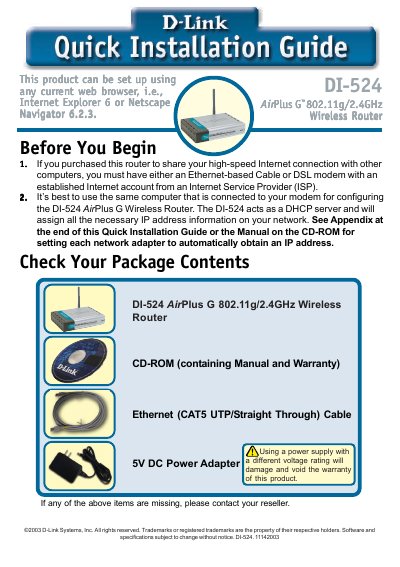
D-LINK DO-524 quick Installation GUIDE
This Quick Installation Guide walks you through connecting the DI‑524 router to your modem and computers, powering the unit, and verifying LED status. It also explains how to access the router’s web interface and use the built‑in Setup Wizard to configure internet and wireless settings.
The guide includes instructions for Windows and Mac OS X, details on setting passwords, time zones, IP address types (Dynamic, Static, PPPoE), and enabling WEP encryption. Technical support contact information for U.S. and Canada is provided at the end.
D-Link DI-524 specifications
| Wireless Standard | 802.11g |
|---|---|
| Max Wireless Speed (802.11g) | 108 Mbps |
| Max Wireless Speed (802.11b) | 11 Mbps |
| Frequency Range | 2.4 GHz |
| Ethernet Ports | 4 10/100 Ethernet ports, 1 WAN port |
All D-Link DI-524 documents by type
Day-to-day operation, settings and troubleshooting. Start here if the product is already set up.
The shortest path to a working setup, usually only a few pages.
Questions answered in these manuals
What is the maximum data transfer speed of the DI-524?
The DI-524 provides data transfers at up to 108 Mbps when used with other D-Link AirPlus G products.
Is the DI-524 compatible with 802.11b devices?
Yes, the DI-524 is backwards compatible with 802.11b products, allowing them to communicate at speeds up to 11 Mbps.
How can I reset the router to factory defaults?
Press the Reset button on the back of the router; this restores the router to its original factory settings.
How do I reset the DI-524 router to factory defaults?
Press the Reset button on the router; this restores the router to its original factory default settings.
What type of antenna does the DI-524 use?
The router uses a single detachable reverse SMA antenna.
How do I reset the DI‑524 to factory defaults?
Press the Reset button on the router; this restores the device to its original factory default settings.
From: D-Link AirPlus G DI-524 802.11g/2.4GHz Wireless Router manual